
10 Best Car Cameras For Uber Drivers in 2026
This post contains affiliate links. As an Amazon Associate, we earn from qualifying purchases.
For Uber drivers, a dash cam is essential protection. The VIOFO A229 Plus Dash Cam is our Best Overall pick because it delivers crisp dual 1440P recording with excellent low-light performance from STARVIS 2 sensors, plus voice commands for hands-free control. We also recommend the THINKWARE U3000 Pro for drivers who need top-tier parking protection and the REDTIGER F17 for those who want full cabin, front, and rear coverage.
Your car is your office, and every ride brings unpredictable moments. You need a camera that captures clear footage day and night, handles heat without failing, and doesn’t distract you from the road. Features like parking mode, reliable storage, and easy file transfers matter more for rideshare drivers than for casual commuters.
This guide is based on a thorough review of manufacturer specifications, expert round-ups, and patterns in owner feedback from thousands of drivers. We focused on the features that matter most for Uber drivers: video quality, parking protection, heat tolerance, and ease of use. Here are the ten best options for your car.
Top 10 Car Cameras For Uber Drivers in the Market
Certain content that appears on this site comes from Amazon. This content is provided "as is" and is subject to change or removal at any time.
The Best Car Cameras For Uber Drivers, Reviewed
VIOFO A229 Plus Dash Cam

What We Like
- Dual 1440P recording front and rear
- Dual STARVIS 2 sensors for low-light clarity
- 5GHz Wi-Fi for fast transfers
- 12 voice commands for hands-free control
Trade-offs
- 1440P 60fps disabled when HDR is on
- Hardwire kit for parking mode sold separately
Pairing two Sony STARVIS 2 sensors for the first time in a front and rear dash cam, this setup captures 1440P video from both cameras. That dual-channel HDR technology reveals license details even in fast-moving traffic, so you get clear footage during night recording with reduced noise and motion blur. The 5GHz Wi-Fi transfers video to your phone for smooth previewing and downloading, and the 12 voice commands let you lock a clip or take a photo without reaching for the device. For someone who drives evenings and late nights, this provides the kind of reliable recording that supports insurance claims and keeps your mind on the road.
There is a trade-off worth knowing: if you enable HDR to handle oncoming headlights, you lose the 60fps frame rate on the front camera. That is a real compromise when you want both smooth motion and high dynamic range. The THINKWARE U3000 Pro offers 4K front recording and dual radar parking mode, but it is larger and heavier. The A229 Plus keeps the design simple and gets the fundamentals right for daily driving, especially if you are willing to buy the separate hardwire kit for parking coverage. It is the camera that balances image quality and practical features without overcomplicating the setup.
THINKWARE U3000 Pro Dash Cam

What We Like
- 4K front and 2K rear video
- Radar parking mode with energy-saving features
- Thermal Protection feature
Trade-offs
- Larger than many dash cams at 5.5 inches long
- OBD cable included but installation is more involved
The THINKWARE U3000 Pro uses radar to detect motion and wake the camera, recording a 20-second clip. Energy-saving features help extend coverage without draining your battery, so it can provide parking protection for longer periods. The 4K front and 2K rear feed from Sony STARVIS 2 sensors capture detailed video for clear evidence day or night. A 64GB microSD card and OBD cable are included, so you have what you need to start recording.
The trade-off is size: at 5.5 inches long, this dash cam is noticeably larger than something like the VIOFO A329S, so it may not tuck as neatly behind a rearview mirror in a compact car.
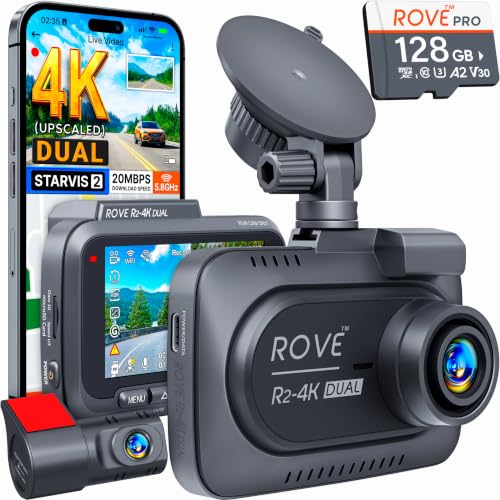
ROVE R2-4K Dual Dash Cam
What We Like
- Free 128GB microSD card included
- Sony STARVIS 2 sensor for low light
- Upscaled 4K front captures license plates
- Built-in GPS records speed and route
Trade-offs
- Front is upscaled 4K, not native 4K
- Parking mode requires separate hardwire kit
- Rear camera records only 1080P, not 4K
The front camera captures at 2.5K and upscales to 4K, which means you get sharper detail on license plates and signs than standard 1080P cams, without the file size of true 4K. The Sony STARVIS 2 sensor pulls in more light at night, so tunnels and dusk drives are covered. And with a free 128GB card in the box, you can start recording right away without an extra purchase.
The rear camera also stays at 1080P, which is fine for backup footage but not as detailed as the front. And if you want 24-hour parking mode, you will need to buy a hardwire kit separately.
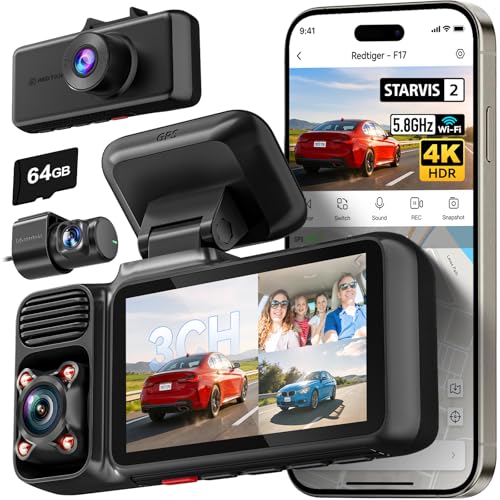
REDTIGER F17 3CH Dash Cam
What We Like
- STARVIS 2 IMX675 for sharp low-light video
- 360° coverage with front, cabin, and rear cameras
- 5GHz WiFi for fast app transfers
- Triple parking monitor with G-sensor
Trade-offs
- Inside camera must be off for 4K front + 1080P rear
- Hardwire kit required for parking monitor
- At 0.3 pounds, lightweight but not ultra-compact
Recording from three channels at once, front, inside, and rear, means every angle around your car is captured, which is especially useful if you carry passengers or valuables. The front camera uses a STARVIS 2 IMX675 sensor with HDR and WDR, so footage stays sharp even on dim streets or nighttime highways. That triple coverage, combined with cabin monitoring, gives drivers a full record of events inside and outside the vehicle. The 5GHz WiFi lets you pull clips onto your phone quickly, and the super capacitor handles temperature swings without a problem.
To get full 4K front recording, you have to turn off the inside camera, dropping to a 2.5K dual-channel mode. That’s a real compromise if you want both cabin coverage and maximum front detail at the same time. For drivers who prioritize having eyes on the backseat over every last pixel, this setup makes sense.
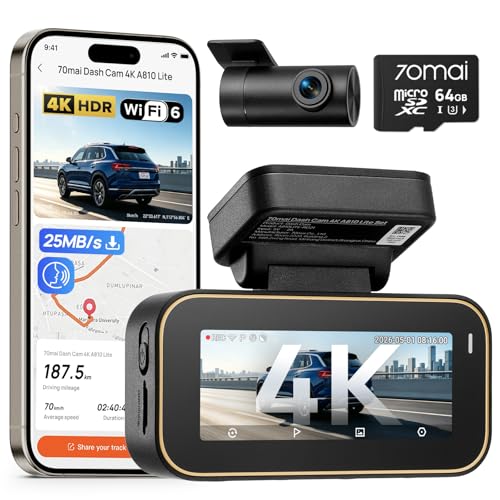
70mai A810 Lite Dash Cam
What We Like
- 4K front + 1080P rear dual recording
- 5GHz Wi-Fi 6 for fast 25MB/s transfers
- 3-mode GPS tracks speed, route, location
- Supercapacitor handles high heat better
Trade-offs
- Parking mode needs separate hardwire kit
- Rear camera is 1080P, not 4K
Built-in 5GHz Wi-Fi 6 transfers video at up to 25MB/s, letting you pull a 4K clip from the front camera to your phone in seconds without removing the SD card. That speed is practical when you’re between rides and need to share footage with a passenger or insurance adjuster quickly. The app handles live view, playback, settings, GPS data, and OTA firmware updates, making video management faster and more convenient for daily use.
REDTIGER F7N Touch Dash Cam

What We Like
- Touchscreen with voice control
- 4K front + 1080P rear recording
- Free 128GB card included
Trade-offs
- Parking mode needs separate hardwire kit
- Rear camera only 1080P, not 4K
A 4K front camera with a touchscreen and voice commands lets you control the dash cam hands-free, which can help you stay focused on driving. The included 128GB card means you can begin recording immediately, and the built-in GPS logs your route and speed, useful for insurance claims or trip records. This setup prioritizes ease of use while still delivering clear front video.
The rear camera records at 1080P rather than 4K, so if you need higher resolution from behind, a model like the VIOFO A229 Plus offers 1440P on both channels. Also, the parking monitoring feature requires a separate hardwire kit, which adds installation effort if you want continuous surveillance. For someone who values a touch-friendly interface and solid front-facing clarity, this dash cam covers the essentials.
Product photos
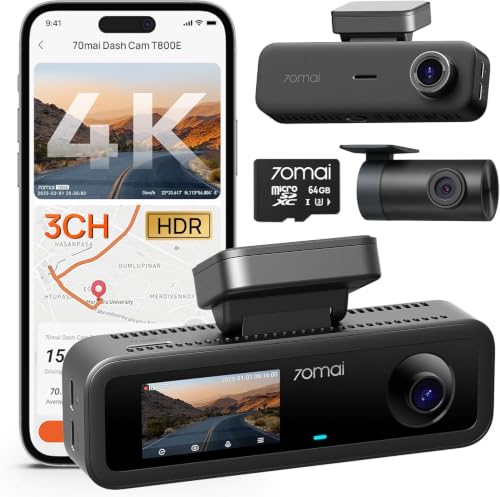
70mai T800E 3CH Dash Cam
What We Like
- Switchable IR for clear interior night footage
- 4K front + dual 1080p coverage
- Super capacitor handles extreme temps
- 64GB SD card included out of box
Trade-offs
- No 4G connectivity support for remote access
- Requires optional hardwire kit for parking monitoring
- Interior camera resolution caps at 1080p
A three-channel configuration captures the road ahead in 4K resolution while the interior and rear cameras each record in crisp 1080p. That means every handoff, passenger interaction, or rear-end incident is documented from three separate angles simultaneously. The ultra-wide lenses and F1.55 aperture pull in more light, so footage stays clear even when the sun drops or clouds roll in. For rideshare drivers or families, this setup offers total visibility of what happens inside and around the vehicle, with no blind spots left to guesswork.
Product photos
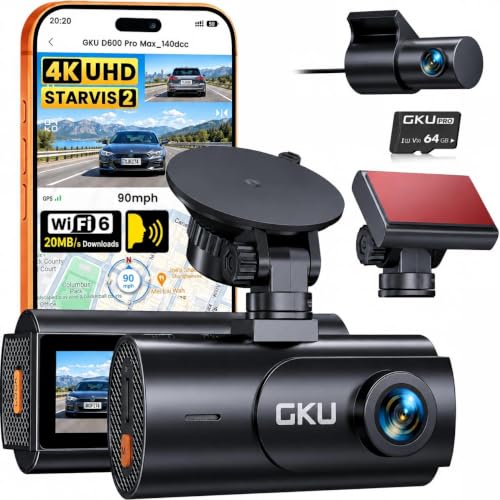
GKU D600 Pro Max Dash Cam
What We Like
- 5.8GHz WiFi 6 up to 20MB/s downloads
- STARVIS 2 sensor for low-light clarity
- Voice control for hands-free operation
- Supercapacitor for heat resistance and longevity
Trade-offs
- Parking mode requires separate GKU hardwire kit
- USB cable not included for alternate power
- Third-party hardwire kits are not compatible
A 5.8GHz WiFi 6 connection that downloads footage at up to 20MB/s means you can transfer clips to your phone quickly without removing the memory card. The Sony STARVIS 2 sensor and WDR night vision keep plates readable in low light, and voice control lets you lock a clip or start recording without taking your hands off the wheel. With a supercapacitor instead of a battery, this camera handles heat better than many rivals, which matters when your car sits in the sun all day.
Continuous parking monitoring requires a hardwire kit, and only the GKU-branded one will work. Third-party kits are not compatible and can prevent the camera from powering on, so owners need to purchase the correct accessory separately. A USB cable is also not included in the box, though the dash cam does support that connection method if you have a compatible cable. Reviewers recommend confirming your power plan before installation to avoid delays. The included car charger works for standard driving use, but for around-the-clock coverage, the dedicated hardwire kit is essential.
Product photos
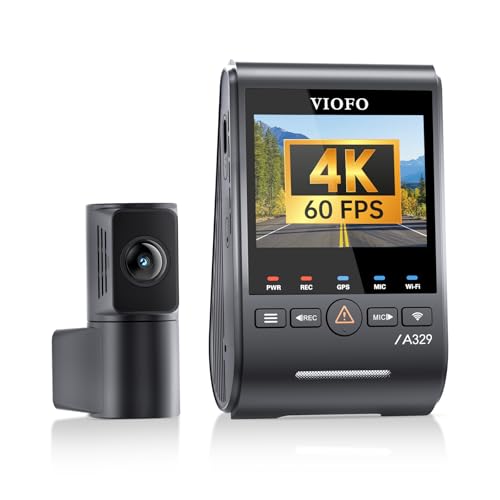
VIOFO A329S Dash Cam
What We Like
- Dual STARVIS 2 sensors for low-light clarity
- 4K 60fps front when HDR is off
- Wi-Fi 6 for fast transfers
Trade-offs
- 4K 60fps disabled when HDR is on
- Hardwire kit for parking mode sold separately
- No included storage card
The front camera records at 4K resolution and 60 frames per second when HDR is turned off. That means fast-moving scenes like a car cutting across your lane or a pedestrian stepping out stay smooth and clear rather than turning into a blur. That frame rate, paired with dual STARVIS 2 sensors, means you can read license plates and road signs even in tricky light, dawn, dusk, or a dim parking lot. For a driver who spends hours in stop-and-go traffic and needs reliable evidence if something happens, this dash cam delivers the kind of detail that holds up when you review the footage later.
One limitation is that you have to choose between 4K 60fps and HDR; you cannot run both at the same time, so in very harsh glare or deep shadows you may want to switch modes. The parking mode is also a useful tool for drivers who park in busy lots, but it needs a separate hardwire kit that you buy and install. Compared to the THINKWARE U3000 Pro, which lists a dual radar parking mode, the VIOFO asks you to buy extra hardware for that feature. Still, the combination of smooth motion, strong low-light performance, and storage support up to 4TB makes this a camera built for long shifts and high-stakes recording.
Product photos
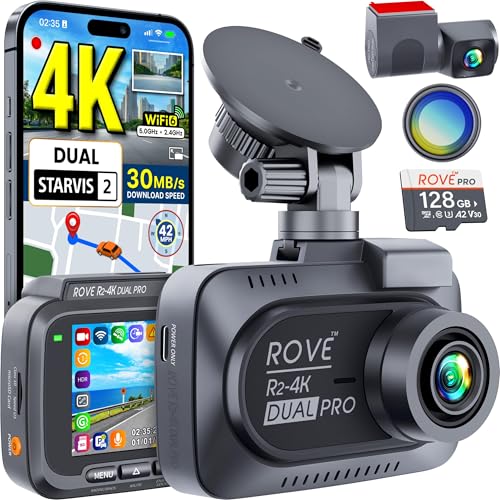
ROVE R2-4K Dual PRO Dash Cam
What We Like
- Dual STARVIS 2 sensors for low-light clarity
- 4K front + 2K rear recording
- WiFi 6 transfers up to 30MB/s
- Free 128GB microSD card and CPL filter included
Trade-offs
- Hardwire kit required for 24hr parking mode
- Rear camera records 2K, not 4K
- No built-in interior cabin camera
With Sony’s latest STARVIS 2 sensors in both the front and rear cameras, this dash cam captures crisp 4K video from the front and 2K from the rear even in challenging light, tunnels, dusk, or headlight glare. That matters for an Uber driver who needs clear license plates and road signs at any hour. The included 128GB card and CPL filter mean you can begin recording immediately without buying extras. The WiFi 6 transfer speed lets you pull clips onto your phone quickly if a passenger needs proof of a clean ride.
One drawback is that the parking mode needs a separate hardwire kit, so you’ll have to install that if you want 24-hour coverage while parked. If you don’t need an interior cabin camera and want the best low-light front footage for the money, this setup covers the essentials for a professional driver.
Product photos
How We Evaluated Car Cameras For Uber Drivers
We evaluated dash cams by analyzing manufacturer specifications, expert round-ups from automotive publications, and patterns in owner feedback from verified purchasers. Our research focused on the specific demands of rideshare driving: long hours, temperature extremes, and the need for reliable incident documentation.
The four criteria that mattered most were video clarity, parking mode capability, heat resistance, and user-friendly features. Video quality determines whether you can read a license plate or identify a person. Parking mode protects your vehicle when you’re between rides. Heat resistance is critical for a camera that sits on a windshield in summer. And hands-free controls or fast Wi-Fi transfers save time during a busy shift.
An evaluation has limits: owner experiences vary by vehicle and climate. But by cross-referencing expert opinions with real user reports, we identified the models that consistently perform well for Uber drivers.
What To Look For In Car Cameras For Uber Drivers
Choosing a dash cam for rideshare involves balancing video quality, storage, power management, and ease of use. Here are the key factors to consider before buying.
Look for a dash cam with at least 1440P front recording. It should have a STARVIS or STARVIS 2 sensor for night clarity, parking mode that fits your driving schedule, a supercapacitor for heat resistance, and Wi-Fi for quick file transfers.
Video Resolution and Sensor Quality
The front camera is your primary witness. A 1440P or 4K front camera captures more detail than 1080P, especially when reading license plates. But resolution alone isn’t everything. The sensor matters more for low-light performance. Sony STARVIS and STARVIS 2 sensors are widely regarded for their ability to capture clear footage in dim conditions, which is crucial for night driving and parking lot incidents. Some cameras offer upscaled 4K, which can be adequate but isn’t true 4K resolution.
Parking Mode
Parking mode is a must for Uber drivers who park in busy areas or leave their car unattended between rides. There are several types: buffered parking mode records a few seconds before an impact, time-lapse mode compresses hours into minutes, and motion detection mode starts recording when it senses movement. Radar-based parking mode, like the THINKWARE U3000 Pro offers, saves battery power by only activating when it detects motion. Most cameras require a separate hardwire kit for continuous parking mode, so factor that into your budget.
Heat Tolerance and Power Source
A dash cam sits on your windshield in direct sunlight. Interior car temperatures can exceed 140°F in summer. Cameras with supercapacitors handle heat far better than those with lithium-ion batteries, which can swell or fail. Supercapacitors also last longer over time. For power, most dash cams plug into the cigarette lighter, but a hardwire installation keeps the cable hidden and enables parking mode. Some cameras include an OBD-II cable for easier installation.
- Look for a supercapacitor instead of a battery for heat resistance.
- Check if the parking mode hardwire kit is included or sold separately.
- Confirm the camera’s operating temperature range matches your climate.
- Verify the included memory card capacity and speed class.
- Read owner reviews about installation difficulty for your specific vehicle.
A supercapacitor dash cam is almost always a better choice for Uber drivers than one with a battery.
Car Cameras For Uber Drivers Compared
The table below compares the key specs of our top ten dash cams for Uber drivers, so you can see at a glance which model fits your needs.
| Product | Front Resolution | Rear Resolution | Sensor | Wi-Fi |
|---|---|---|---|---|
| VIOFO A229 Plus Dash Cam | 1440P | 1440P | Dual STARVIS 2 IMX675 | 5GHz |
| THINKWARE U3000 Pro Dash Cam | 4K | 2K | Sony STARVIS 2 | 5GHz |
| ROVE R2-4K Dual Dash Cam | 2.5K upscaled to 4K | 1080P Full HD | Sony STARVIS 2 IMX675 | 5.8GHz / 2.4GHz |
| REDTIGER F17 3CH Dash Cam | 4K (2160P) | 1080P*2 | STARVIS 2 IMX675 | 5GHz and 2.4GHz |
| 70mai A810 Lite Dash Cam | 4K | 1080P | N/A | 5GHz Wi-Fi 6 |
| REDTIGER F7N Touch Dash Cam | 4K UHD | 1080P FHD | STARVIS 2 | 5.8GHz |
| 70mai T800E 3CH Dash Cam | 4K | 1080p | N/A | Wi-Fi 6 |
| GKU D600 Pro Max Dash Cam | 4K | 1080P | Sony STARVIS 2 | 5.8GHz WiFi 6 |
| VIOFO A329S Dash Cam | 4K 60fps | 2K | Dual STARVIS 2 | Wi-Fi 6 |
| ROVE R2-4K Dual PRO Dash Cam | 4K 3840x2160P @30fps | 2K 2560x1440P @30fps | Dual STARVIS 2 IMX678+IMX675 | Dual Band WiFi 6 |
Frequently Asked Questions
What is the best dash cam for Uber drivers?
The VIOFO A229 Plus is our Best Overall pick for Uber drivers. It offers dual 1440P recording with STARVIS 2 sensors for excellent night clarity, 5GHz Wi-Fi for fast file transfers, and 12 voice commands for hands-free operation. It’s a well-rounded choice for most rideshare drivers.
Do I need a dash cam with parking mode for Uber?
Yes, parking mode is highly recommended for Uber drivers. You often park in busy areas, lots, or curbside spots where your car is vulnerable to hits or break-ins. Parking mode records incidents while you’re away, providing crucial evidence. Look for models with buffered or radar-based parking mode for the best protection.
What video resolution is good enough for a rideshare dash cam?
1440P front resolution is a good minimum for Uber drivers. It captures enough detail to read license plates in good light. 4K front cameras offer even more detail, but they require more storage space and can run hotter. For the rear camera, 1080P is usually sufficient. Avoid 1080P-only front cameras if possible.
How do I install a dash cam for rideshare driving?
Most dash cams are easy to install: mount the camera on the windshield, route the cable along the headliner and down the A-pillar, and plug it into the cigarette lighter. For a cleaner look and parking mode, you can hardwire the camera to your fuse box. Some drivers prefer an OBD-II cable for simpler installation without tapping fuses.
Will a dash cam drain my car battery?
A dash cam can drain your battery if left in parking mode for days without driving. However, most modern dash cams have voltage cut-off settings that stop recording when the battery drops to a safe level. Radar-based parking mode, like in the THINKWARE U3000 Pro, uses very little power. For Uber drivers who drive daily, battery drain is rarely an issue.
The Bottom Line
The VIOFO A229 Plus Dash Cam is our Best Overall pick for most Uber drivers. It balances excellent dual-channel video quality, strong low-light performance, and convenient voice controls at a reasonable investment. If you park in high-traffic areas and want the best parking protection, the THINKWARE U3000 Pro is worth paying more for its radar-based system.
For drivers on a budget who still want strong night vision and GPS, the ROVE R2-4K Dual Dash Cam offers great value with a free memory card. If you need full cabin coverage for passenger safety, the REDTIGER F17 3CH Dash Cam provides front, cabin, and rear recording.
The single most important factor for an Uber dash cam is video clarity in low light. A camera with a STARVIS 2 sensor and at least 1440P front resolution will capture the details that protect you and your passengers, day or night.
