
10 Best Gps Devices For Cars in 2026
This post contains affiliate links. As an Amazon Associate, we earn from qualifying purchases.
For drivers who want dependable directions without draining their phone battery, the Garmin DriveSmart 66 GPS Navigator earns our best overall spot. It offers a crisp 6-inch display and built-in Wi-Fi for effortless map updates. For those who need live traffic rerouting, the Garmin DriveSmart 55 is our pick for best with built-in traffic, while the TomTom Go Comfort 5 Inch stands out for smart routing that learns your daily habits.
A dedicated GPS for your car solves the common frustrations of phone navigation: dim screens in sunlight, battery drain during long trips, and distracting notifications. The right device offers a brighter display, more precise lane guidance, and features like hands-free calling that make driving safer.
This guide is based on a thorough review of manufacturer specifications, expert round-ups, and patterns in owner feedback. We evaluated ten top models to help you find the perfect navigator for your driving style and vehicle needs.
Top 10 GPS Devices For Cars in the Market
Certain content that appears on this site comes from Amazon. This content is provided "as is" and is subject to change or removal at any time.
The Best GPS Devices For Cars, Reviewed
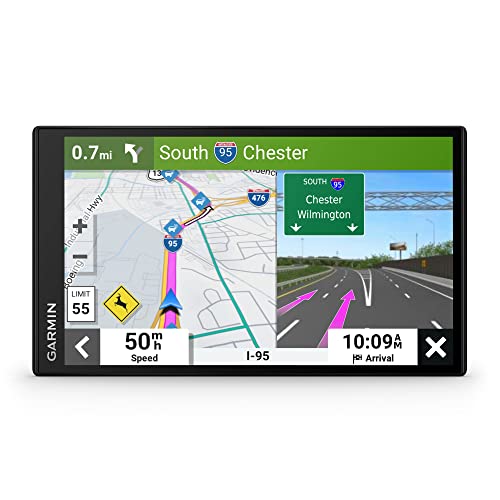
Garmin DriveSmart 66 GPS Navigator
What We Like
- 6-inch high-resolution display for clear viewing
- Built-in Wi-Fi for easy map updates
- Hands-free calling via Bluetooth
Trade-offs
- Requires smartphone and Garmin Drive app for live traffic
- Screen is smaller than 7-inch competitors
A 6-inch high-resolution display means you get crisp, easy-to-read maps without squinting. This Garmin comes with preloaded North America maps and built-in Wi-Fi so you can update them without hunting for a computer. It also pairs with your smartphone for hands-free calling and live traffic, fuel prices, and weather through the Garmin Drive app. For drivers who want a straightforward navigator that does the heavy lifting on road trips, this one covers the essentials with room to spare.
The trade-off is that some of the smart features, like live traffic and Alexa, depend on pairing with your phone and the Garmin Drive app. If you prefer a device that works completely independently, the TomTom Go Comfort 5 Inch offers real-time traffic, but its 5-inch screen is smaller than the 6-inch display here. The DriveSmart 66 strikes a nice balance between modern convenience and traditional navigation reliability, especially if you already carry a smartphone.
Garmin DriveSmart 55 GPS Navigator

What We Like
- Built-in Garmin Traffic suggests alternate routes
- Voice-activated for hands-free calling
- Bright, easy-to-see maps with simple menus
- Built-in Wi-Fi for map updates without computer
Trade-offs
- 5.5-inch display is smaller than 7-inch models
- Requires smartphone pairing for hands-free calling
A 5.5-inch display with built-in Garmin Traffic means you get real-time route adjustments without needing a computer for updates. That traffic data suggests alternate routes when congestion hits, so you stay moving instead of staring at brake lights. The simple menus and bright maps keep your eyes on the road, and voice activation lets you set a destination or make a hands-free call when paired with a compatible smartphone. This is a straightforward, focused tool for drivers who want reliable navigation with live traffic baked in, no fuss.
The 5.5-inch screen is smaller than 7-inch competitors like the OHREX N700, so map details can be harder to read at a glance, especially in larger vehicles or for older eyes. That trade-off pays off with Garmin Traffic, which suggests alternate routes to save time. Pairing a compatible smartphone is required for hands-free calling, but the voice activation works well for keeping hands on the wheel. For daily commuters and road-trippers who want smart routing without a huge display, this navigator fits the bill.
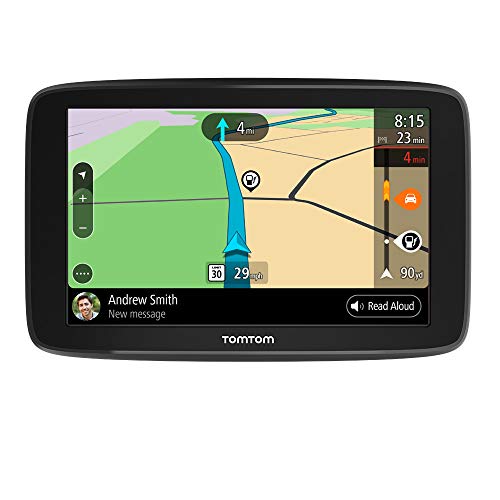
TomTom Go Comfort 5 Inch GPS
What We Like
- Destination prediction learns your habits
- Real time traffic for smarter routing
- Wi-Fi updates without a computer
- Reads text messages hands-free
Trade-offs
- 5-inch screen is smaller than 6-7 inch models
- No built-in voice assistant like some competitors
A destination prediction feature that learns your driving habits and suggests where you are headed next means less time tapping the screen and more time focusing on the road. This TomTom is built for drivers who want a navigation device that adapts to their routines, not the other way around. Real time traffic reroutes you around jams automatically, and the free lifetime maps of North America keep your routes current without extra fees. The built-in Wi-Fi allows map updates without needing a computer, and the ability to have text messages read aloud lets you stay connected without taking your hands off the wheel.
The trade-off comes in screen size: at 5 inches, the display is smaller than the 6-inch Garmin DriveSmart 66. What you give up in screen real estate you gain in smart routing that feels personal.
Product photos
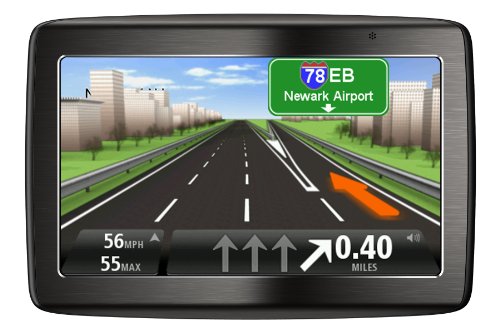
TomTom VIA 1535TM Bluetooth GPS
What We Like
- Bluetooth hands-free calling
- One-shot voice address entry
- Free lifetime traffic updates
- Free lifetime map updates
Trade-offs
- 5-inch screen smaller than some rivals
- No Wi-Fi for map updates, requiring a computer connection
The built-in Bluetooth hands-free calling and one-shot voice address recognition mean you can keep both hands on the wheel and your eyes on the road while still getting where you need to go. Just say the address out loud, and the TomTom VIA 1535TM handles the rest, no tapping through menus or fumbling with a phone. That makes it a natural fit for anyone who spends a lot of time on the phone while driving or simply wants a safer, more focused way to navigate.
The 5-inch screen is perfectly readable for turn-by-turn guidance, but if you prefer a larger display for glancing at complex intersections or highway interchanges, the Garmin DriveSmart 66 offers a 6-inch screen for that extra visual real estate. For most daily driving and commuting, though, the hands-free focus and voice control make this a genuinely useful tool that reduces distraction right where it matters most.
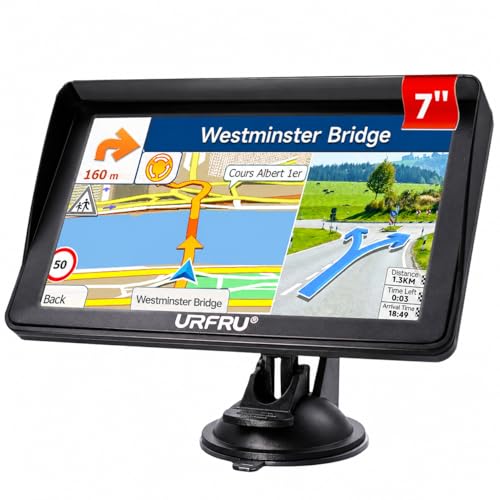
URFRU 7 Inch GPS Navigator
What We Like
- Preloaded offline maps for USA, Canada, Mexico
- Custom truck routing by weight, length, height, width
- Free lifetime map updates included
- Voice navigation with speed camera alerts
Trade-offs
- Requires outdoor use for GPS satellite connection
- No built-in traffic or Wi-Fi connectivity
A 7-inch HD touchscreen and preloaded offline maps of the entire United States, Canada, and Mexico mean this navigator never needs a cellular signal to get you where you’re going. The GPS connects directly to satellites, so you can rely on it anywhere outdoors. It works well for truck drivers who need custom routing by vehicle weight, length, height, and width to avoid restricted roads. The free lifetime map updates keep your data current without recurring costs.
This GPS needs to be used outdoors to lock onto satellites, so you cannot get a GPS signal inside a building. Compared to the Garmin DriveSmart 66, which includes voice assist, the URFRU focuses on offline guidance without extra features. If you value a simple, dedicated navigation tool that does not rely on your phone or a data plan, this is a practical choice.
Product photos
Jimtour GPS Navigator 7 Inch
What We Like
- 7 vehicle modes with truck height/weight input
- Lifetime map updates included at no extra cost
- Clear voice and visual turn-by-turn guidance
- Multiple destination search methods (address, POI, coordinates)
Trade-offs
- Map updates require a PC connection, not Wi-Fi
- No Bluetooth for hands-free calls or wireless audio
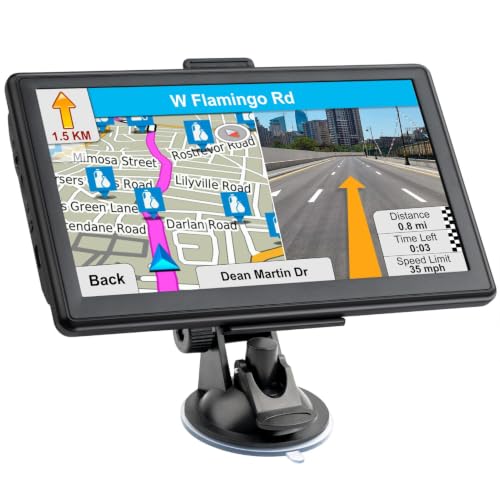
Seven vehicle modes with custom height and weight input mean this GPS can route a delivery van, a box truck, or a campervan around low-clearance bridges and restricted roads without guessing. The 7-inch screen keeps the map readable at a glance, and the lifetime North America maps update free via a simple PC cable connection. For anyone who drives more than one type of vehicle or hauls loads that need careful route planning, this is the practical choice that saves you from buying separate units for each rig.
Map updates depend on a PC rather than Wi-Fi, so you will need to plug it in at home or the office, not just park near a hotspot. Compared to the Garmin DriveSmart 66, which weighs 0.4 pounds, the Jimtour is heavier. If you only drive a single car and want a lighter unit, the Garmin might suit you better. But if you juggle different vehicles or need to avoid low bridges and weight-restricted roads, this unit delivers exactly that capability.
NAVRUF 7 Inch GPS Navigation System

What We Like
- Large 7-inch touchscreen for clear viewing
- Free lifetime map updates included
- Works with 7 vehicle modes including trucks
- Pre-installed 2026 offline maps for immediate use
Trade-offs
- Louder alerts require FM transmitter setup
- No battery included for portable use.
A 7-inch touchscreen gives you a noticeably larger view than the 5- or 6-inch screens common in this category, which means less squinting at intersections and more confidence when navigating unfamiliar highways. That extra real estate is especially helpful if you drive a truck, RV, or commercial vehicle, where seeing the route clearly at a glance matters for safety. The unit comes with 2026 offline maps for 101 regions across the US, Canada, and Mexico pre-installed, so you can start navigating right out of the box without needing a phone signal or Wi-Fi. The included lifetime map updates keep those maps current, and the seven vehicle modes let you switch between car, truck, bus, RV, and more, tailoring the routing to your specific vehicle size and restrictions.
At 0.6 pounds, this GPS is heavier than a Garmin DriveSmart 66, which weighs 0.4 pounds and has a slightly smaller 6-inch screen. If you prioritize a big, easy-to-read display and don’t mind the extra weight, this is a practical choice for commercial drivers and RV owners who want a dedicated navigator that doesn’t rely on a phone.
Magellan RoadMate 5045-LM GPS
What We Like
- Lifetime map and traffic updates
- Highway lane assist with realistic signs
- OneTouch favorites for instant bookmarks
- Pre-loaded maps with 6 million POIs
Trade-offs
- 5-inch screen is smaller than 7-inch truck GPS units
- No Bluetooth or voice recognition listed
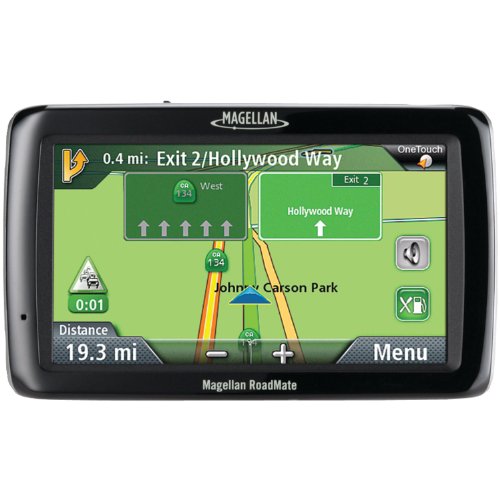
A five-inch touchscreen with lifetime map and traffic updates means you never have to worry about outdated roads or unexpected jams. The highway lane assist shows realistic signs so you know exactly which lane to take. This Magellan is built for larger vehicles like SUVs, RVs, and trucks, with a focus on clear guidance and easy bookmarking through the OneTouch favorites menu. If you drive something big and want a straightforward navigator that keeps you informed without fuss, this one fits the bill.
The 5-inch display is smaller than the 7-inch screens found on some other GPS units like the URFRU 7 Inch, so if you need a larger view for quick glances, you might prefer that bigger option. Also, the Windows-only compatibility means you will need a Windows computer to update maps. For a balanced, no-nonsense GPS that handles large vehicles well, the Magellan RoadMate 5045-LM is a practical choice.
Product photos
LMCOWRE 7-Inch GPS Navigator
What We Like
- Eco-friendly route option included
- Free lifetime map updates
- Multi-vehicle routing with size restrictions
- Voice-guided turn and lane alerts
Trade-offs
- No real-time traffic data included
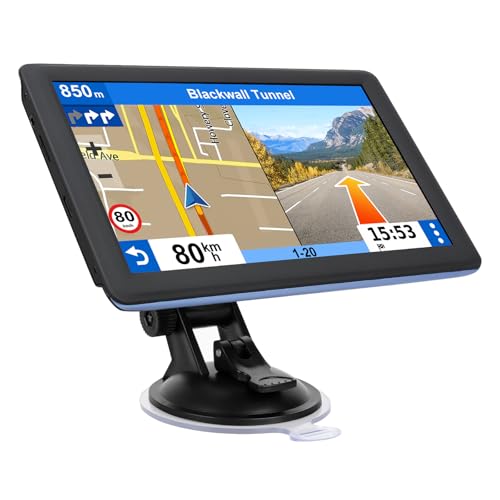
An eco-friendly route option built directly into the route selection menu means you can prioritize fuel savings without digging through extra settings. This 7-inch navigator suits drivers who want a large, easy-to-read screen and the flexibility to plan trips by vehicle type, from a sedan to a tall RV, using height, width, and weight restrictions. The included lifetime map updates keep the 2026 North America data current, and voice-guided announcements for turns, lane changes, and speed zones help you stay focused on the road.
A seven-inch touchscreen gives you a clear view of upcoming turns and route details without squinting, which is especially helpful in larger vehicles like trucks or RVs. The unit offers four route optimization modes, including an eco-friendly option that prioritizes fuel efficiency over speed or distance. Drivers can enter destinations by address, point of interest, postal code, or coordinates, then pick the route that best fits their priorities. This flexibility means you’re not locked into a single routing style, you can choose fastest for a time crunch or easiest for unfamiliar areas.
Product photos
OHREX N700 Truck GPS Navigator
What We Like
- Fully offline navigation with 2026 maps
- Custom truck routing by vehicle dimensions
- Free lifetime map updates
- Driver alerts for speed cameras
Trade-offs
- Map updates require a Windows PC or external TF card
- No built-in traffic or real-time data without cell service
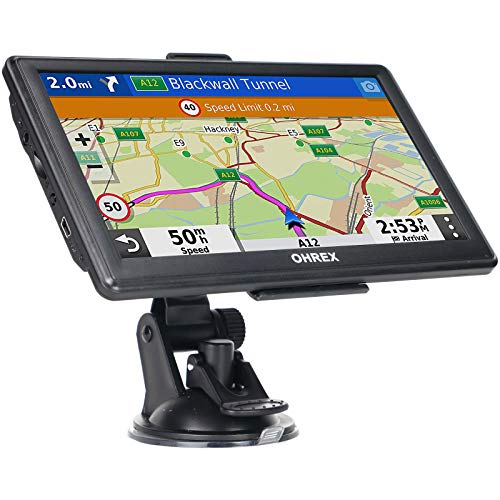
A 7-inch screen and preloaded 2026 North America maps that work completely offline mean you never need a cell signal to find your way. You can set your vehicle’s exact weight, length, height, and width, and the device automatically avoids roads with restrictions. The included lifetime map updates keep your data current, and driver alerts for speed cameras add a layer of safety on unfamiliar routes.
Free lifetime map updates are available by connecting the OHREX N700 to a Windows PC or using an external TF card, which works with both Windows and Mac systems. Since the device operates completely offline using satellite positioning, it provides turn-by-turn voice guidance and driver alerts without needing any cellular service. This makes it a practical choice for truck and RV drivers who travel through remote areas where internet access is unreliable.
Product photos
How We Evaluated GPS Devices For Cars
Our evaluation process focused on what matters most for real-world driving. We studied manufacturer documentation, expert round-ups from automotive publications, and thousands of owner feedback patterns to understand which features actually improve the navigation experience. This research-led approach helps us separate marketing claims from practical benefits.
The four criteria that mattered most were display quality, map update convenience, traffic integration, and routing intelligence. A bright, responsive screen makes the difference between glancing and staring at a map. Built-in Wi-Fi for updates saves the hassle of connecting to a computer. Live traffic data can save you hours on congested routes, and smart routing features help you avoid problem areas before they appear.
A research-based evaluation has honest limits. We cannot claim to have tested every device on every road, but we can identify the features and trade-offs that matter most based on what experts and owners consistently report. This gives you a reliable framework for comparison without the guesswork.
What To Look For In GPS Devices For Cars
Choosing the right GPS starts with understanding your driving habits and priorities. The best device for a daily commuter looks different from what a long-haul trucker needs.
Look for a bright, high-resolution display (5 to 7 inches), built-in Wi-Fi for easy map updates, reliable live traffic data, and routing features that match your vehicle type. Hands-free calling and voice control add safety and convenience.
Display Size and Quality
Screen size directly affects how quickly you can read a map at a glance. Five-inch screens work well for compact cars, while 6- to 7-inch displays offer easier viewing for larger vehicles and older drivers. Resolution matters too, a higher pixel density makes street names and lane guidance sharper.
Brightness is critical for daytime visibility. Look for devices that advertise high nits or sunlight-readable displays. Anti-glare coatings and automatic brightness adjustment help maintain clarity from dawn to dusk.
Map Updates and Connectivity
Keeping maps current is essential for accurate navigation. Devices with built-in Wi-Fi can update automatically when connected to your home network, eliminating the need for a computer. Others require a USB connection to a PC, which can be less convenient.
Most modern GPS units include lifetime map updates, but verify this before buying. Some models also offer lifetime traffic updates, which can be delivered through a built-in receiver or via a smartphone app connection.
Traffic and Routing Features
Real-time traffic data can transform a good GPS into an essential tool. Built-in traffic receivers provide rerouting without needing your phone, while app-based solutions like Garmin Drive require a smartphone connection. Consider how much you value automatic detours around congestion.
Smart routing features vary widely. Some devices learn your commute patterns and predict destinations, while others offer eco-friendly routes to save fuel. For truck and RV drivers, custom routing by vehicle height, weight, and length prevents dangerous road restrictions.
- Check if the traffic data is free for life or requires a subscription
- Verify the device supports your vehicle type (car, truck, RV, commercial van)
- Confirm voice control works hands-free without tapping the screen
- Look for speed camera and red-light camera alerts if you drive in monitored areas
A GPS with built-in traffic and Wi-Fi updates offers the most hassle-free experience, but offline maps are essential for remote areas with poor cell service.
GPS Devices For Cars Compared
The table below compares key specs across our ten top picks, so you can see at a glance which device matches your priorities.
| Product | Screen Size | Maps Included | Voice Assist |
|---|---|---|---|
| Garmin DriveSmart 66 GPS Navigator | 6 inches | North America | Garmin voice assist |
| Garmin DriveSmart 55 GPS Navigator | 5.5 inches | N/A | Voice-activated |
| TomTom Go Comfort 5 Inch GPS | 5 Inches | Free Maps of North America | N/A |
| TomTom VIA 1535TM Bluetooth GPS | 5 inches | US, Canada & Mexico | One-shot address |
| URFRU 7 Inch GPS Navigator | 7 Inches | North America (USA, Canada, Mexico) | Voice Navigation |
| Jimtour GPS Navigator 7 Inch | 7 inches | North America (US, Canada, Mexico) | Voice Turn-by-Turn Guidance |
| NAVRUF 7 Inch GPS Navigation System | 7 Inches | 101 Regions (US, CA, MX) | Voice Guidance |
| Magellan RoadMate 5045-LM GPS | 5 inches | U.S., Canada, Puerto Rico | N/A |
| LMCOWRE 7-Inch GPS Navigator | 7 inches | 2026 North America | Voice-Guided Turn Directions |
| OHREX N700 Truck GPS Navigator | 7 inches | 2026 North America (offline) | turn-by-turn voice guidance |
Frequently Asked Questions
Do I need a GPS if my car has Apple CarPlay or Android Auto?
A dedicated GPS offers advantages over phone-based navigation, including a brighter screen that stays visible in direct sunlight, no battery drain on your phone, and more reliable performance in areas with weak cell service. Many drivers keep a dedicated GPS for road trips and use phone mirroring for daily commutes.
How often do I need to update the maps on my car GPS?
Most manufacturers recommend updating maps at least once a year to account for new roads, changed routes, and updated points of interest. All the devices in this guide include lifetime map updates, so the only cost is the time to download and install them.
Can a GPS work without an internet connection?
Yes, dedicated GPS devices use satellite signals for positioning and do not require an internet connection for basic navigation. Models with preloaded offline maps, like the URFRU 7 Inch and OHREX N700, work anywhere you can see the sky. Live traffic and some smart features do require a data connection.
What size screen is best for a car GPS?
Five-inch screens work well for most passenger cars, while 6- to 7-inch displays offer better readability for larger vehicles, older drivers, or anyone who wants to see more map detail at a glance. Consider your dashboard space and how far the screen will be from your eyes.
How does a GPS with truck routing differ from a standard car GPS?
Truck-specific GPS devices let you enter your vehicle’s height, weight, length, and width, then calculate routes that avoid low bridges, weight-restricted roads, and tight turns. Standard car GPS units do not account for these restrictions, which can lead to dangerous situations in larger vehicles.
The Bottom Line
The Garmin DriveSmart 66 GPS Navigator is our best overall pick for most drivers because it balances a clear 6-inch display with built-in Wi-Fi and useful smartphone integration. It works best for those who want a dedicated navigator that stays current with minimal effort.
If your budget is tighter or you prioritize a specific feature, one of our award picks likely fits better. The Garmin DriveSmart 55 delivers excellent built-in traffic for commuters, while the TomTom Go Comfort 5 Inch learns your habits for smarter daily routing. Truck and RV drivers should focus on the OHREX N700 for fully offline truck routing or the NAVRUF 7 Inch for a large touchscreen with pre-loaded maps.
The single most important factor when choosing a car GPS is matching the device to your actual driving environment. A commuter who battles daily traffic needs different features than a weekend road-tripper or a commercial driver. Focus on display size, traffic integration, and routing capabilities that match your roads, and you will find a navigator that earns its place on your dashboard.
