
9 Best Tablets For Car Rear Seat Entertainment in 2026
This post contains affiliate links. As an Amazon Associate, we earn from qualifying purchases.
For keeping passengers entertained on long drives, the Seventour 14″ Android Car Headrest Monitor is the best overall pick thanks to its large, sharp 2240×1400 display and full access to the Google Play Store. Families who need a dedicated kid-friendly device will appreciate the SVITOO Kids Tablet 10.1″ Android, while those on a budget can look to the AINAVI 10.8″ Android Car Headrest Monitor for a capable, affordable screen.
The real challenge with car entertainment is balancing screen size, mounting security, and internet access. A tablet that works great at home can be a hassle on the road if it needs constant recharging or doesn’t have a way to stream without a hotspot.
This guide is built from a careful review of product specifications, manufacturer documentation, and patterns in owner feedback. We’ve focused on the features that matter most for a smooth, enjoyable ride for everyone in the back seat.
Top 9 Tablets For Car Rear Seat Entertainment in the Market
Certain content that appears on this site comes from Amazon. This content is provided "as is" and is subject to change or removal at any time.
The Best Tablets For Car Rear Seat Entertainment, Reviewed
Seventour 14" Android Car Headrest Monitor

What We Like
- Android 13 with Google Play Store access
- 14-inch HD IPS touchscreen at 2240×1400
- Wireless mirroring via AirPlay and Miracast
- HDMI input and output for game consoles
Trade-offs
- Requires a personal hotspot for internet while on the road
- 8.8-pound pair needs sturdy headrest posts for secure mounting
A 14-inch IPS screen with 2240×1400 resolution gives kids in the back seat a sharp, vivid picture. Because it runs Android 13 and gives you access to the Google Play Store, you can install Netflix, YouTube, Disney+, or other streaming apps directly on the monitor. No need to tether a phone or juggle a second device. The pair of monitors each run the same Android system, so both passengers can watch their own shows without fighting over a single screen. That combination of display quality and app freedom makes this a complete entertainment setup for families who want a tablet experience built into the headrests.
The Seventour 14-inch pair weighs 8.8 pounds, making installation more demanding than with lighter single units like the NINEYIN 11.5-inch at 2.2 pounds. That extra heft means you’ll need sturdy headrest posts and careful mounting to keep them secure. Because the system relies on your phone’s hotspot for streaming away from home, you’ll want a data plan that can handle a couple of hours of video. For families who prioritize screen size and app flexibility over ultra-light hardware, this pair delivers the best all-around rear-seat entertainment package.
Product photos
SVITOO Kids Tablet 10.1" Android
What We Like
- Parental controls for safe content
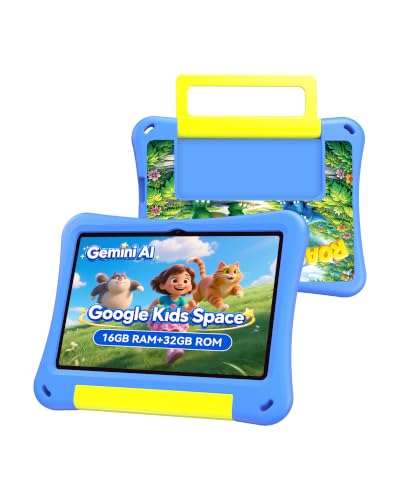
- Lightweight at ~550g for kids
- 10.1-inch IPS screen for clear viewing
- Expandable storage up to 1TB
Trade-offs
- Only 6 hours of video playback
- Not designed for headrest mounting
A 10.1-inch screen and 6-hour video playback mean this tablet can handle a few short road trips or a single longer one before needing a charge. The included EVA case and lightweight design at about 550g make it easy for a child to hold and carry, while the parental controls let you filter content, set time limits, and switch between learning and play modes. That combination of portability and safety-focused software is what makes it a strong fit for anyone looking for a tablet that travels with the kid, not one bolted to the headrest.
The trade-off is that this is a general-purpose kids’ tablet, not a dedicated car entertainment system. Unlike the Seventour 14-inch headrest monitors, it doesn’t mount to the seat, so you’ll need to hand it to your child or prop it up. The 6-hour battery is also shorter than what some larger monitors offer with direct car power. For parents who value flexibility, using the tablet at home, in the classroom, and on the go, this works well. If you want a permanent rear-seat setup that stays charged off the car’s battery, a headrest monitor is a better fit.
Seventour 12.4" Android Car Headrest Monitor

What We Like
- Sharp 1080p IPS touchscreen
- Supports HDMI input and output
- Wireless phone mirroring via AirPlay/Miracast
- Dual power adapters for car and home use
Trade-offs
- Only 16GB of built-in storage
- Runs Android 10.0, not the latest version
A 12.4-inch 1080p IPS touchscreen is the standout feature here, delivering crisp, vivid video that keeps rear-seat passengers engaged without straining their eyes. The Android 10.0 system supports WiFi and lets you download apps through APKPure, including streaming services like Prime Video. The included dual power adapters mean you can use the monitor in the car or at home. If you want a compact screen that doesn’t dominate the cabin but still offers full smart-TV functionality, this is a balanced, space-conscious choice.
The trade-off comes down to performance and storage. With 2GB of RAM and 16GB of internal memory, this monitor is best suited for streaming and light app use rather than running multiple demanding apps at once. If you plan to load it up with downloaded movies or games, you’ll need a USB drive or SD card.
Product photos
AINAVI 10.8" Android Car Headrest Monitor

What We Like
- 1920×1080 touchscreen with 4K playback
- Wireless mirroring via AirPlay and Miracast
- HDMI input for gaming consoles
Trade-offs
- Screen smaller than some budget rivals
- No internal battery listed for cordless use
The 2GB RAM and 32GB storage keep things moving for casual apps and video, while the HDMI input lets you plug in a game console for longer trips. This setup makes it a smart value if you want a dedicated rear-seat system without overspending.
Product photos
AINAVI 16" Android Car Headrest Monitor

What We Like
- 16-inch 1920×1200 touchscreen plays 4K video
- Android 13 with Google Play Protect certification
- Supports iOS AirPlay and Android Miracast mirroring
Trade-offs
- No built-in battery; needs 12V or DC adapter
- Only fits seat posts 130-200mm apart
- Pair of screens adds noticeable weight to headrests
The Android 13 OS lets you download Netflix, Disney+, or games directly from the Google Play Store, and the 4GB of RAM keeps streaming apps running smoothly. If you want a dedicated entertainment station that doesn’t rely on a phone or tablet, this monitor delivers a full, self-contained experience right on the headrest.
The trade-off is that this screen only fits seat posts between 130 and 200 mm apart, so check your car’s headrest poles before buying. It needs a 12V or DC power source and has no built-in battery, meaning it stays in the car rather than being portable like a tablet. If your priority is maximum screen real estate for long road trips and you don’t mind the permanent install, this AINAVI is the obvious choice.
NINEYIN 11.5" Android Car Headrest Monitor
What We Like
- Glare-free glass-to-glass laminated display
- 4K video decoding at 60fps
- Includes car charger splitter and mounting kit
Trade-offs
- Not compatible with square headrest poles
- Requires WiFi hotspot for full internet access
- HDMI cable not included in the box
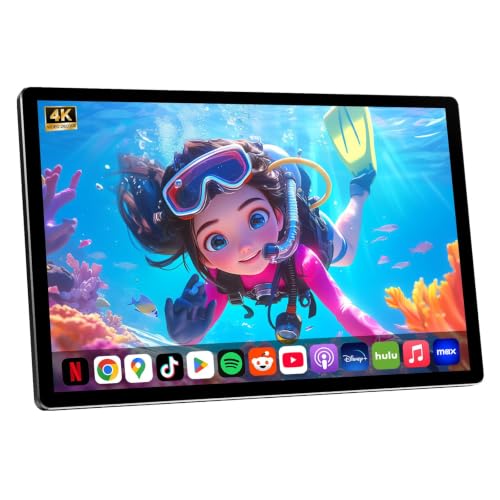
A glass-to-glass lamination process effectively eliminates glare and reflections, so kids in the back seat can watch movies without fighting sunlight. The 2K touchscreen delivers true-to-life color and sharp visuals, while 4K video decoding at 60fps keeps high-definition content smooth. Android 13 gives access to YouTube, Netflix, and Disney+ through WiFi or a mobile hotspot, and automatic OTA updates keep the system running reliably.
Installation only works with round headrest poles, square poles are not supported. You need a WiFi hotspot for full internet access and online features; the package includes a 2-socket car charger splitter for power, but the HDMI cable is sold separately. At 2.2 pounds, this monitor is lighter than the Seventour 14-inch model, which weighs 8.8 pounds, making it easier to handle during setup.
Product photos
WONNIE 13.3" Android Car Headrest Monitor

What We Like
- 4K playback on a 1920×1200 IPS touchscreen
- Android 13 with Google Play and OTA updates
- Wireless mirroring via Miracast and AirPlay
- HDMI sync lets both screens play the same content
Trade-offs
- Requires phone hotspot for full internet access
- No built-in battery; needs car or home power adapter
The WONNIE connects to the internet through a phone’s mobile hotspot, so data usage is a factor on long trips. Compared to the Seventour 14-inch model, the WONNIE offers 4K video support and 64GB of storage, while the Seventour has a 14-inch screen if larger size matters more. The dual stereo speakers provide audio for casual listening, and Bluetooth headphones offer a private option. It’s a capable choice for anyone wanting a high-resolution backseat screen with Android app access.
Product photos
Ichuangxin 10.1" Android Car Headrest Monitor

What We Like
- Full HD 1080p IPS touchscreen
- Runs Netflix, YouTube, Disney+ out of box
- Wireless mirroring for iOS and Android
- Multiple audio options: Bluetooth, FM, wired
Trade-offs
- At 6.0 pounds, pair is heavier than some rivals
- Requires professional installation for headrest mounting.
The trade-off is weight: at 6.0 pounds for the pair, these monitors are heavier than some competitors like the NINEYIN 11.5-inch model (2.2 pounds for a single unit). So installation on certain headrests may feel more solid but also more noticeable. The 2GB RAM handles streaming apps fine, but power users who plan to run multiple apps or games at once might wish for more memory. If your priority is a straightforward, full-featured pair that keeps both kids entertained on long drives, this is a smart buy.
Product photos
Bsldtor 10.1" Android 12 Car Headrest Monitor Pair

What We Like
- Dual monitors for multiple passengers
- Android 12 with app access via WiFi
- HDMI input for game consoles
- USB and SD card for offline media
Trade-offs
- At 2.5 lbs, adds noticeable weight to headrests
- Requires manual app updates from the seller for streaming.
Two 10.1-inch screens let each back-seat passenger watch their own content without sharing a single tablet. The monitors run Android 12, and if apps like Netflix or YouTube have version issues, the seller offers updated versions upon request. There’s 2GB of RAM and 32GB of ROM for storing files, plus an HDMI input for connecting a game console. Families who want independent viewing for each child will find this setup practical, since it keeps phones and tablets out of reach.
The 2GB of RAM is a standard amount for this type of device, so it handles basic app use without issue. The Seventour 12.4-inch model runs Android 13 and is 0.3 inches thick, so if the latest software and a thinner design matter more, that’s worth a look. But for a straightforward, ready-to-install dual-screen solution that covers streaming, offline media, and gaming, this pair covers the essentials.
Product photos
How We Evaluated Tablets For Car Rear Seat Entertainment
This evaluation is based on product specs, manufacturer claims, and common themes found in expert round-ups and owner reviews. The focus is on understanding what makes a tablet truly work for back-seat use, from mounting to streaming.
The most important criteria were screen quality and size, as a clear, large display is essential for comfortable viewing from a distance. We also prioritized operating system and app compatibility, since the ability to run Netflix, YouTube, and other streaming services is the main reason to buy one.
Internet connectivity was another key factor, as many monitors rely on a phone hotspot rather than built-in cellular data. Finally, we weighed mounting hardware and power options, because a monitor that can’t be securely attached or stay powered on a long trip isn’t useful.
A research-led approach has limits. We can identify the features and specs that owners report as most important, but we cannot verify long-term durability or real-world battery life. Our goal is to give you a clear, informed starting point for your own decision.
What To Look For In Tablets For Car Rear Seat Entertainment
Choosing the right screen for your back seat means thinking about how your family actually uses the car. The key is matching the monitor’s features to your typical trip length, passenger ages, and tech setup.
Focus on screen size and resolution for comfortable viewing, operating system for app access, and mounting compatibility with your vehicle’s headrests. Power and connectivity are the other two big factors for long trips.
Screen Size and Resolution
A larger screen, from 10.1 inches up to 16 inches, makes a big difference for passengers in the back seat, especially on longer trips. Higher resolutions like 1920×1080 (Full HD) or the Seventour’s 2240×1400 panel deliver sharper images, which is important for kids trying to read subtitles or see small details in a game. A 4K-capable display, like the one in the AINAVI 16″ model, offers extra clarity for high-resolution content.
Operating System and App Access
Android tablets offer the widest app selection, including direct access to the Google Play Store for Netflix, YouTube, Disney+, and games. Some monitors run older versions of Android (like 10.0), which may not support the latest apps or security updates. A newer OS, such as Android 13 found on the Seventour and AINAVI 16″ models, is generally better for future-proofing. Always check that the monitor can run the specific streaming services your family uses.
Mounting and Power
A monitor must securely attach to your car’s headrest posts. Check the post diameter and spacing; the AINAVI 16″, for instance, only fits posts 130-200mm apart. Most monitors are powered by a 12V car adapter, and some include a home adapter for setup and updates. A few models, like the SVITOO Kids Tablet, have built-in batteries for portability, but they will need recharging on longer drives.
- Measure your headrest posts (diameter and spacing) before buying.
- Check if the monitor includes a car charger splitter or if you need to buy one separately.
- For models without a battery, confirm the power cable is long enough to reach your 12V outlet.
- Look for HDMI input if you plan to connect a game console.
A monitor that fits your headrests and stays powered is far more valuable than one with a slightly bigger screen that you can’t mount securely.
Tablets For Car Rear Seat Entertainment Compared
The table below compares the key specs of our top picks, including screen size, operating system, and mounting details, to help you see the differences at a glance.
| Product | Screen Size | Resolution | RAM / Storage |
|---|---|---|---|
| Seventour 14" Android Car Headrest Monitor | 14 inches | 2240×1400 | 4G+64G |
| SVITOO Kids Tablet 10.1" Android | 10.1 inches | N/A | 4+12GB RAM 32GB ROM |
| Seventour 12.4" Android Car Headrest Monitor | 12.4 inches | 1920×1080 | 2GB / 16GB |
| AINAVI 10.8" Android Car Headrest Monitor | 10.8 inches | 1920×1080 | 2G+32G |
| AINAVI 16" Android Car Headrest Monitor | 16 inches | 1920×1200 | 4GB / 64GB |
| NINEYIN 11.5" Android Car Headrest Monitor | 11.5 inches | 2K In-Cell Touchscreen | 2+32GB |
| WONNIE 13.3" Android Car Headrest Monitor | 13.3" | 1920×1200 IPS Touchscreen | 4GB RAM / 64GB ROM |
| Ichuangxin 10.1" Android Car Headrest Monitor | 10.1 inches | N/A | 2GB / 32GB |
| Bsldtor 10.1" Android 12 Car Headrest Monitor Pair | 10.1 inches | N/A | 2G RAM / 32G ROM |
Frequently Asked Questions
Can I use a regular tablet in my car for back seat entertainment?
Yes, but a dedicated car headrest monitor is usually a better choice. Regular tablets need a separate mount, have shorter battery life, and can be a hazard in a crash if not secured properly. Car monitors are designed to be mounted to headrest posts and are powered by the vehicle’s 12V system, so they stay charged for the whole trip.
Do I need a WiFi hotspot for these tablets to work?
Most of these Android car monitors require a WiFi connection to stream content. They do not have built-in cellular data. You will need to use your phone’s personal hotspot or a dedicated mobile hotspot device for apps like Netflix and YouTube to work on the road.
Can I play movies from a USB drive or SD card?
Yes, most of these monitors have USB and SD card slots for playing offline media. You can load movies, shows, and music onto a card or drive before a trip, which is a great way to avoid using mobile data. This is a very common feature on Android-based car headrest monitors.
How do I connect a game console to a car headrest monitor?
Look for a monitor with an HDMI input. The Seventour and AINAVI models both have HDMI inputs that can accept a signal from a Nintendo Switch, PlayStation, or Xbox. You will need to power the console separately, but the monitor will display the game on its screen.
What is the best screen size for a car back seat?
For most families, a screen between 10 and 14 inches is a good balance of visibility and fit. A 10.1-inch screen is fine for shorter trips or younger kids, while a 14-inch or 16-inch display is better for older children and adults who will be watching movies for several hours. The best size also depends on how far back your passengers sit.
The Bottom Line
For a dedicated, high-quality rear-seat entertainment system, the Seventour 14″ Android Car Headrest Monitor is our top pick. Its large, sharp screen and full access to the Google Play Store make it the most versatile option for families who want streaming, gaming, and apps on the road. It’s best for those who don’t mind relying on a phone hotspot for internet.
If your main concern is keeping younger children occupied, the SVITOO Kids Tablet 10.1″ Android offers excellent parental controls and portability for use both in and out of the car. For budget-minded shoppers, the AINAVI 10.8″ Android Car Headrest Monitor provides a solid Android experience with wireless mirroring at a more accessible price point.
The single most important factor is choosing a monitor that fits your car’s headrest posts and your family’s preferred way of watching content. Focus on screen size, app support, and mounting compatibility, and you’ll find the right solution for a much more peaceful ride.
