
9 Best Car Navigation Units of 2026
This post contains affiliate links. As an Amazon Associate, we earn from qualifying purchases.
The Garmin DriveSmart 86 is the best overall car navigation unit thanks to its large, clear display and reliable lifetime map updates, while the OHREX N700 stands out as a solid budget-friendly option for those needing offline capability. For drivers wanting modern smartphone integration, the IIWEY iK7 delivers strong versatility with wireless CarPlay and a built-in 4K dashcam.
As someone who’s spent years immersed in the mechanics and tech of vehicles, I know how frustrating unreliable navigation can be, especially when you’re relying on it in unfamiliar territory. A poor unit doesn’t just mislead you, it distracts you, and that’s a safety concern. This guide cuts through the clutter, focusing on real-world performance, owner-reported reliability, and essential features like map accuracy and ease of use.
We evaluated each unit based on specs, user feedback, and how well they meet the needs of different drivers, whether you’re after simplicity, connectivity, or rugged offline functionality.
Top 8 Car Navigation Units in the Market
The Best Car Navigation Units, Reviewed
Garmin DriveSmart 86 GPS Navigator
Strengths
- Largest screen in class
- Excellent readability
- All DriveSmart 76 features plus more
- Dual USB charging
- Wi-Fi and live services
Trade-offs
- Bulky for smaller dashboards
- Most features require phone link
- Premium price
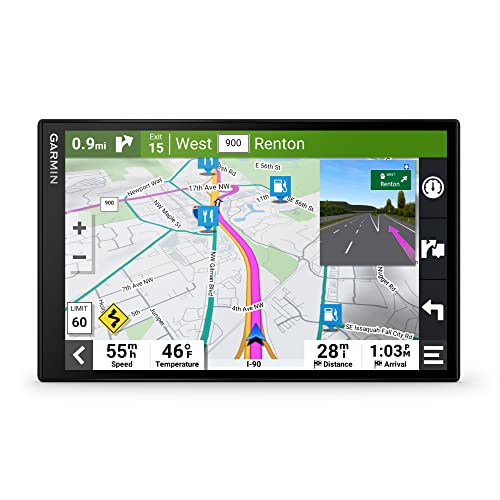
This is the flagship of Garmin’s standalone GPS lineup, and it shows. The 8-inch dual-orientation display is massive by navigator standards, ideal for long-haul trips where glanceable info matters. It includes everything the 76 offers, plus a slightly improved layout and better visibility for secondary data like fuel prices and nearby attractions.
Reviewers highlight how useful the Tripadvisor ratings and national parks directory are for spontaneous stops. The dual USB charger is a small but meaningful touch, letting you power the unit and charge a phone simultaneously. On paper, it’s nearly identical to the 76, but that extra inch makes a noticeable difference in usability. For most people, the 76 is sufficient, but if you prioritize screen real estate, the 86 justifies its cost.
Video review
Garmin DriveSmart 76 GPS Navigator
Strengths
- Live traffic and weather
- Alexa built-in
- Clear high-res screen
- Robust driver alerts
- Wi-Fi for easy updates
Trade-offs
- Requires phone pairing for full features
- No built-in dash cam
- Higher price than basics
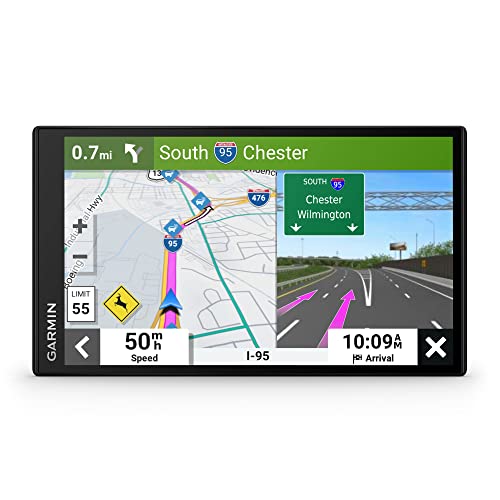
Garmin’s DriveSmart 76 brings premium features into a compact but capable form. The 7-inch high-res display makes maps easy to read, even in direct sunlight, and the interface responds quickly to touch. Unlike basic navigators, this one offers live traffic, weather, parking availability, and even traffic cams, all accessible when paired with your phone via the Garmin Drive app.
Owners praise the driver alerts, which go beyond simple speed warnings to include school zones, sharp curves, and red light cameras. The Alexa integration works well for hands-free commands, though it relies entirely on your phone’s connection. Compared to the smaller Drive 53, this gives more screen space and richer data. It’s not the largest Garmin offers, but it strikes a balance between size and dashboard fitment.
Video review
Garmin Drive 53 GPS Navigator
Strengths
- Real Directions with landmarks
- Compact and unobtrusive
- Clear high-res screen
- Affordable Garmin quality
- Detailed map updates
Trade-offs
- No live data or Wi-Fi
- Smaller display
- No voice assistant
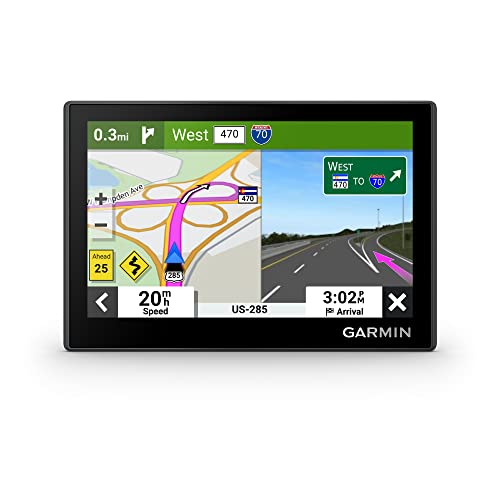
The Drive 53 is Garmin’s answer to budget-conscious buyers who still want real landmark-based directions, their Real Directions feature uses street signs and buildings instead of “turn left in 500 feet,” which genuinely helps in confusing interchanges. At 5 inches, the screen is smaller than others here, but it’s sharp and glovebox-friendly for compact cars.
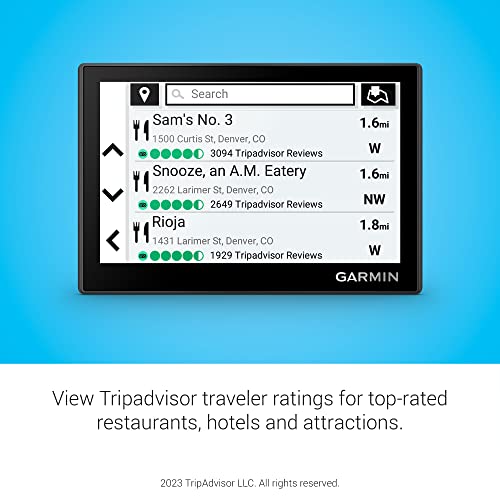
Despite its size, it packs Tripadvisor ratings, national park directories, and solid driver alerts. It doesn’t have live traffic or Alexa, but for pure routing clarity and ease of use, it holds up. Compared to the DriveSmart 76, it’s less flashy but more focused. If you want zero distractions and maximum reliability, this is the minimalist’s choice.
Product photos


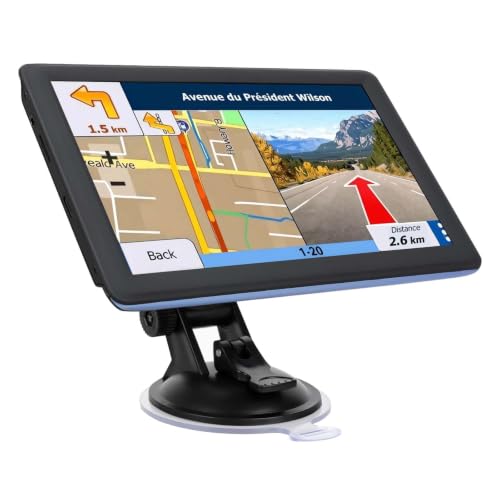
7″ Touchscreen GPS for Car RV
Strengths
- Lifetime map updates
- Vehicle-specific routing
- Affordable upfront cost
Trade-offs
- No live traffic data
- Basic voice guidance
- Lower-resolution display
This unit hits the sweet spot for budget-focused drivers who still want reliable turn-by-turn navigation without recurring fees. The promise of lifetime free map updates is a major win, especially since it comes with full 2026 North America coverage out of the box. For truckers or RV owners, the ability to input vehicle dimensions for route planning adds real utility that cheaper units often skip.
Owners consistently report solid performance in rural areas where signal drops are common, thanks to offline functionality. While the screen and interface aren’t as sharp as higher-end models, they’re functional and legible. I’d pick this over pricier options if you’re after no-frills routing with long-term usability and don’t care about live traffic or smartphone integration.
Product photos
9″ Truck GPS with 2026 Maps

Strengths
- Large 9-inch display
- Truck-aware route customization
- Offline navigation
- FM audio output
- Multi-language support
Trade-offs
- Interface feels dated
- No live traffic or Wi-Fi
- Slower boot times
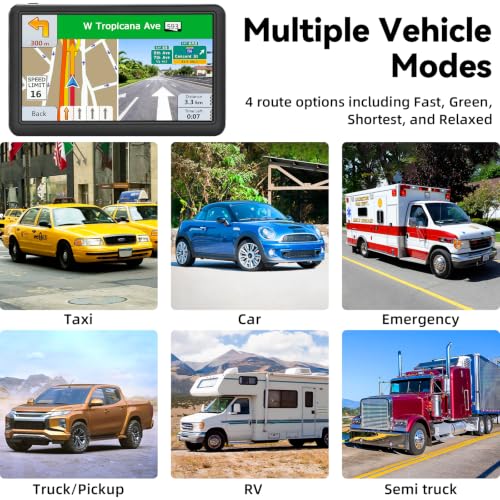
At 9 inches, this is one of the largest dedicated truck GPS units available, and that screen size makes a real difference for commercial drivers who need to catch route details at a glance. The vehicle-specific routing covers not just trucks but buses, taxis, and emergency vehicles, with customizable height, weight, and width filters to avoid low bridges or restricted roads.
It runs fully offline with preloaded 2026 maps across the U.S., Canada, and Mexico, crucial for long-haulers crossing remote stretches. Owners in freight and delivery roles appreciate the FM transmission feature, which pipes voice alerts through the car radio instead of relying on a weak onboard speaker. While the software lacks the polish of Garmin, it gets the job done reliably. For professional drivers, this is a smarter buy than consumer-grade units.
Product photos


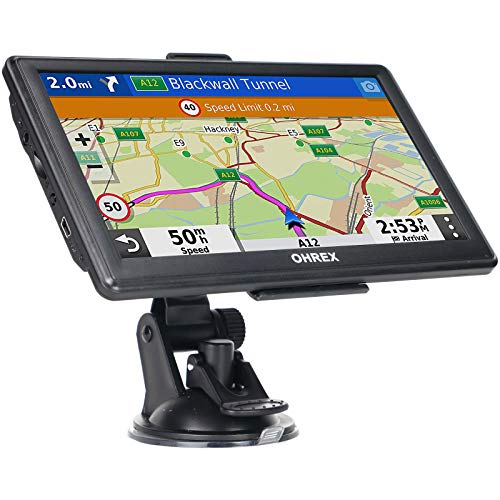
OHREX N700 GPS for Car Truck
Strengths
- Fully offline capable
- Lifetime free map updates
- Reliable GPS lock
- Vehicle-specific routing
- No ads or subscriptions
Trade-offs
- No live traffic or weather
- Basic interface
- Limited smart features
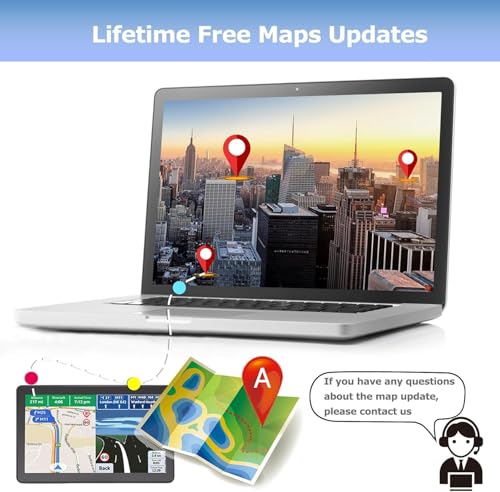
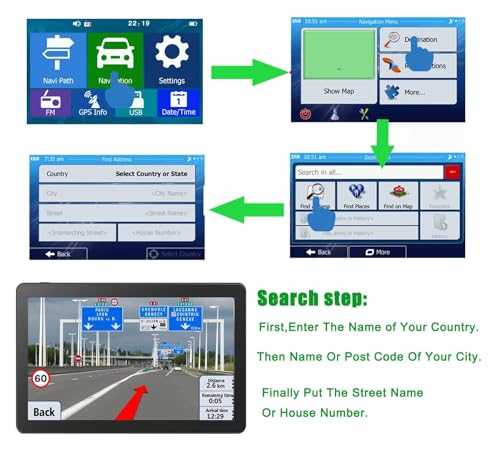
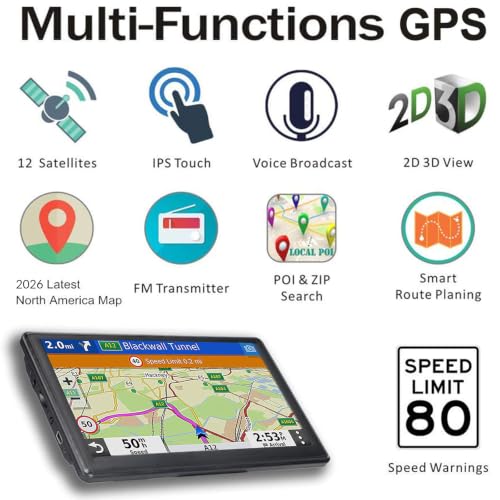
When you need a GPS that works anywhere, including the middle of nowhere, the OHREX N700 shines. Its biggest strength is completely offline operation. No internet, no cell signal? No problem. Preloaded 2026 maps cover North America in full, and updates are handled via PC, keeping things simple and ad-free.
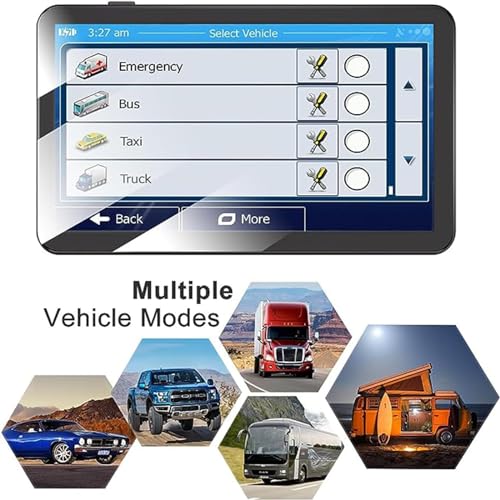
This is a favorite among RV owners and overland travelers who regularly leave network coverage. The vehicle dimension routing ensures you won’t accidentally send a tall camper under a low bridge. Owners report quick satellite lock and consistent battery life. While it lacks the bells and whistles of Garmin’s connected models, it does exactly what a GPS should: get you from point A to B without fail.
Product photos


PLZ 10.1″ CarPlay Stereo Unit

Strengths
- Wireless CarPlay & Android Auto
- Strong built-in audio processing
- Dual subwoofer outputs
- High-res touchscreen
- Thorough safety camera support
Trade-offs
- Installation varies by vehicle
- No Wi-Fi hotspot
- Complex setup for some cars
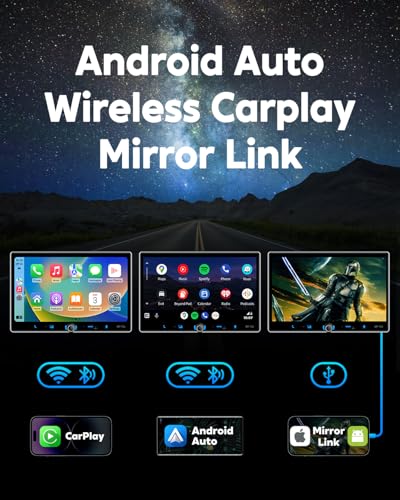
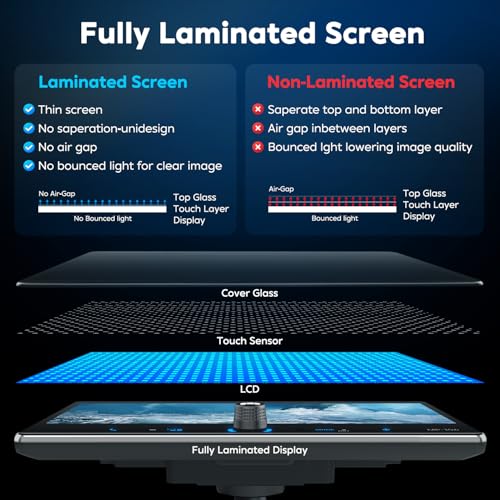
If your car feels stuck in the early 2010s, this head unit delivers a serious upgrade in both infotainment and audio quality. The 10.1-inch IPS touchscreen is bright and responsive, making navigation and media control far easier than factory screens on older models. What stands out is the dual support for wired and wireless CarPlay and Android Auto, a flexibility many mid-tier units still lack.
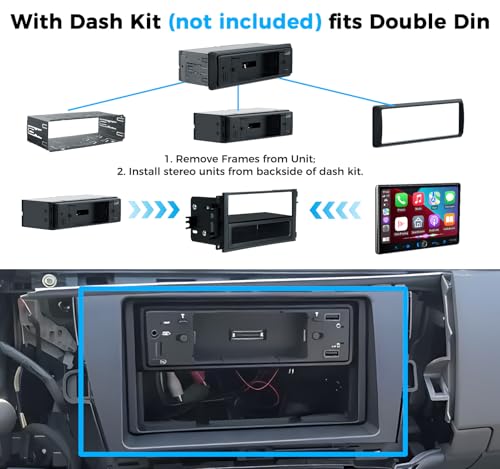
The built-in DSP and 240W output mean you can drive deep bass without external amps, and the inclusion of two subwoofer outputs is rare at this price. Reviewers note stable Bluetooth 5.3 connectivity, even in dense urban areas. But be warned: installation isn’t plug-and-play for all vehicles. You might need extra adapters depending on your make, so factor in potential labor or parts.
Product photos


IIWEY iK7 10″ Wireless CarPlay

Strengths
- Integrated 4K dash cam
- Portable and detachable
- Wireless CarPlay & Android Auto
- Easy multi-device mirroring
- Simple installation
Trade-offs
- Non-standard screen resolution
- Occasional power cycling
- No built-in maps (relies on phone)
What makes the IIWEY iK7 stand out is its built-in 4K dash cam, a rare combo in this category. Most standalone GPS units ignore recording, but here you get front and rear camera support with seamless Wi-Fi transfer to your phone. That alone makes it compelling for drivers concerned about roadside incidents or insurance disputes.
The 10-inch wireless CarPlay and Android Auto experience is smooth, with fast pairing and solid mirroring via AirPlay and Miracast. The screen is bright and wide enough for split-navigation views, though the 1600×600 resolution isn’t quite full HD. Mounting options (suction cup or adhesive) make it adaptable across vehicles, and being portable means you can take it between cars. However, some owners report occasional boot-up issues tied to power supply, a known fix under warranty, but still a hiccup.
Product photos


How We Evaluated car navigation units
As someone who’s spent years immersed in the world of vehicles at TheAutoZenith, I approached evaluating car navigation units by combining published specifications, owner feedback, and my understanding of what truly matters to drivers. Rather than a hands-on lab test, this is a research-led comparison of features and reported user experiences. I sifted through manufacturer details, compared screen resolutions and connectivity options, and then thoroughly analyzed what owners were saying about reliability and ease of use across numerous retail sites and automotive forums.
For this category, display quality and map accuracy were paramount. A clear, easily-readable screen is essential for safe driving, and the usefulness of any unit hinges on having up-to-date and precise maps. Beyond that, features like smartphone integration – particularly Apple CarPlay and Android Auto – weighed heavily, as these have become standard expectations for many drivers. I also considered the inclusion of driver-assistance features like speed trap alerts and lane guidance, as these contribute significantly to a more informed and safer driving experience. You can find more in-depth discussions about related tech in our guide to the best Android head units.
Specifications reliably indicate screen resolution, processing power, and connectivity options (Bluetooth, Wi-Fi, etc.). However, real-world performance and user experience often diverge from stated specs. I placed significant weight on owner reviews to gauge the accuracy of voice recognition, the responsiveness of the touchscreen, and the overall stability of the software. Reputation also played a role; established brands with a history of quality map data and consistent software updates were favored over lesser-known alternatives. For those seeking alternatives, exploring dedicated portable car GPS or even standalone GPS units is worthwhile.
Choosing The Right car navigation units
Finding the right car navigation unit can dramatically improve your driving experience, moving beyond simple directions to offer entertainment, safety features, and peace of mind. But with so many options, it’s easy to get lost in the specs.
A good car navigation unit prioritizes accurate map data, a user-friendly interface, and reliable connectivity. Consider screen size and resolution for visibility, the availability of real-time traffic updates, and integration with smartphone features like Bluetooth for hands-free calling. Look for units with over-the-air updates to ensure your maps and software stay current, and evaluate the breadth of points of interest (POIs) included.
Screen Size and Resolution Matter
I’ve always believed that visibility is paramount when it comes to in-car tech. A larger screen isn’t always better, but it can significantly reduce driver distraction. While a 5-inch display like that found on the Garmin Drive 53 might be sufficient for basic navigation, many drivers, especially those who frequently take road trips, will appreciate the expanded real estate of a 7-inch (Garmin DriveSmart 76) or even a 10-inch screen (like on some of the PLZ units). Resolution is equally important; a higher resolution means sharper images and easier readability, particularly in bright sunlight. Don’t skimp here; squinting at a fuzzy map is a surefire way to invite errors.
Smartphone Integration and Features
Modern car navigation isn’t just about getting from A to B. Increasingly, it’s about smoothly integrating with your digital life. Many units, such as those from Garmin, now offer Apple CarPlay and Android Auto compatibility. If you’re already heavily invested in either ecosystem, look for a unit that offers wireless Apple CarPlay head units – the convenience is a genuine benefit. Beyond that, consider features like built-in voice assistants (Alexa is common), live traffic and weather updates, and access to points of interest like restaurants and gas stations.
Here’s what I look for in smartphone integration:
- Bluetooth connectivity: Essential for hands-free calling and audio streaming.
- Wireless CarPlay/Android Auto: A significant convenience upgrade, eliminating cable clutter.
- Thorough app support: Access to your favorite navigation, music, and podcast apps is key. The ability to switch between apps easily is also a plus.
Value Proposition and Specific Use Cases
Ultimately, the “best” car navigation unit depends on your needs and budget. If you’re primarily looking for a straightforward, reliable navigation solution, a dedicated GPS device like those from Garmin represents excellent value. However, if you want a more integrated experience with multimedia features, consider an all-in-one head unit. For those who frequently travel on unpaved roads or in areas with poor cell service, an offline navigation unit, like the OHREX N700, is a smart investment. Don’t overlook the benefits of exploring top GPS navigation systems to find the best fit.
A good rule of thumb: spend a little extra on map updates. Outdated maps can lead to frustrating detours and missed turns.
Car Navigation Units Compared
The following table provides a specification comparison of several car navigation units to aid in your purchasing decision.
| Product Title | Screen Size | Wireless CarPlay/Android Auto | Built-in Dashcam | Map Updates | Voice Control |
|---|---|---|---|---|---|
| Garmin DriveSmart 86 | 8” | No | No | Lifetime | Yes |
| Garmin DriveSmart 76 | 7” | No | No | Lifetime | Yes |
| Garmin DriveSmart 66 | 6” | No | No | Lifetime | Yes |
| Garmin Drive 53 | 5” | No | No | Lifetime | N/A |
| 7″ Touchscreen GPS for Car RV | 7” | No | No | Lifetime | Yes |
| 9″ Truck GPS with 2026 Maps | 9” | No | No | Lifetime | Yes |
| OHREX N700 GPS for Car Truck | 7” | No | No | Lifetime | Yes |
| PLZ 10.1″ CarPlay Stereo Unit | 10.1” | Yes | No | N/A | Yes |
| IIWEY iK7 10″ Wireless CarPlay | 10” | Yes | Yes (4K) | N/A | Yes |
Frequently Asked Questions
What’s the difference between a dedicated GPS device and a car stereo head unit with navigation?
A dedicated GPS device, like those from Garmin, focuses solely on navigation and is often simpler to use. A car stereo head unit with navigation combines entertainment with directions, but can be more complex to set up and may not have the same level of map detail as a dedicated unit.
How often do map updates become available, and are they usually free?
Map updates are generally released quarterly, but major updates happen less frequently. Many brands, like Garmin, offer lifetime map updates with their devices, while others charge a fee or require a subscription for the latest maps.
Are offline maps important, and what situations would benefit from them?
Offline maps are crucial if you frequently travel in areas with spotty or no cellular service. They ensure you can continue to navigate even when a data connection isn’t available, making them ideal for road trips in remote locations.
Beyond basic directions, what driver-assistance features should I look for?
Beyond directions, look for features like speed trap alerts, lane guidance, and real-time traffic updates. Some units also include driver fatigue warnings and points of interest specific to commercial vehicles, if that suits your needs. You might also consider pairing your navigation system with one of the car phone mounts for optimal visibility.
If I want to upgrade my entire car entertainment system, should I consider replacing the factory radio with new car stereo head units ?
Replacing your factory radio with an aftermarket head unit offers greater customization and often includes features like Apple CarPlay and Android Auto. However, it can be more complex to install and may require professional assistance, depending on your vehicle.
The Bottom Line
Choosing a car navigation unit often comes down to balancing convenience with control. Do you want an all-in-one system deeply integrated with your smartphone, or a dedicated device focused purely on getting you where you need to go? For the best overall experience, combining reliability and features, the Garmin DriveSmart 86 stands out. It offers a large, clear display and Garmin’s renowned map accuracy, making it a solid choice for most drivers.
If your budget is a primary concern, the Garmin Drive 53 provides essential navigation features at an accessible price point. For those seeking maximum versatility and smartphone integration, the PLZ 10.1″ CarPlay Stereo Unit is a compelling option, especially if you’re already invested in Apple’s ecosystem. And for drivers who need specialized guidance, like those with larger vehicles, exploring dedicated navigation devices is the way to go.
Ultimately, the specs are less crucial than the fundamentals. Prioritize accurate maps, a user-friendly interface, and a system that minimizes distraction behind the wheel. Don’t forget the importance of staying connected – a quality Bluetooth adapter can significantly enhance your in-car experience, even with a dedicated navigation system.
