
10 Best Garmins For Cars in 2026
This post contains affiliate links. As an Amazon Associate, we earn from qualifying purchases.
For reliable, turn-by-turn directions without draining your phone’s battery, the Garmin DriveSmart 76 Car GPS Navigator is the best overall choice. It has a large 7-inch high-resolution display, hands-free calling, and built-in Wi-Fi for easy map updates. The Garmin DriveSmart 55 Car GPS Navigator earned the award
The challenge with car GPS units is finding one that matches your driving style. You might need a massive screen for easy glancing, RV-specific routing for your trailer, or just a simple device that avoids the distractions of a smartphone. The wrong choice can mean squinting at a small display or missing critical alerts for your vehicle’s size.
This guide is built on a thorough review of manufacturer specifications, expert round-ups, and patterns found in thousands of owner reviews. We’ve broken down the key features that matter most for different drivers, so you can confidently choose the Garmin that fits your car and your budget.
Top 10 Garmins For Cars in the Market
Certain content that appears on this site comes from Amazon. This content is provided "as is" and is subject to change or removal at any time.
The Best Garmins For Cars, Reviewed
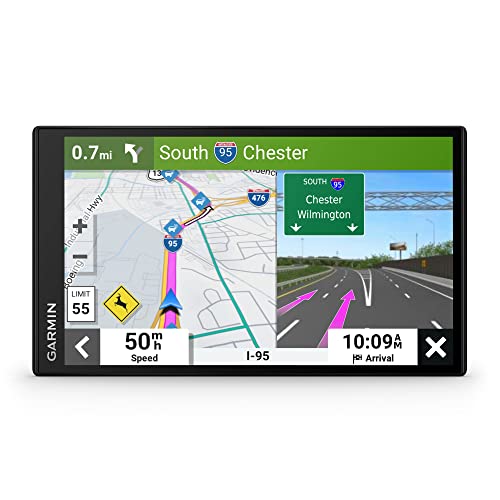
Garmin DriveSmart 76 Car GPS Navigator
What We Like
- 7-inch high-resolution display
- Hands-free calling via Bluetooth
- Built-in Wi-Fi for easy updates
- Driver alerts for safer driving
Trade-offs
- Requires smartphone pairing for live traffic
- Alexa function needs Garmin Drive app
A 7-inch high-resolution screen makes this navigator easy to read at a glance. You get hands-free calling and voice assist through Bluetooth, so you can ask for directions without taking your hands off the wheel. The built-in Wi-Fi handles map and software updates on its own, which means no hunting for a computer or cable when new maps come out. This setup suits drivers who want a large, clear display and modern connectivity without the complexity of a phone-based app.
Live traffic, fuel prices, and smart notifications are available when you pair the navigator with your smartphone running the Garmin Drive app. If you prefer a smaller unit, the Garmin DriveSmart 55 offers a 5.5-inch display. But for those who want a 7-inch screen and don’t mind the occasional phone connection for live data, this model delivers a full-featured navigation experience.
Garmin DriveSmart 55 Car GPS Navigator

What We Like
- Bright, easy-to-see 5.5-inch maps
- Voice-activated hands-free calling
- Built-in Wi-Fi for wireless updates
- Garmin Traffic suggests alternate routes
Trade-offs
- Smaller screen than 7-inch models
- No built-in dash cam
- Requires smartphone pairing for some features
A 5.5-inch display hits a sweet spot for drivers who want clear directions without a giant screen blocking their windshield. The bright, easy-to-see maps and simple on-screen menus make navigation straightforward, while Garmin Traffic automatically suggests alternate routes when congestion builds ahead. Voice-activated controls let you keep your hands on the wheel, and pairing with a compatible smartphone adds hands-free calling and smart notifications. It also includes built-in Wi-Fi for map and software updates, so you never have to plug it into a computer.
The 5.5-inch screen is compact, which keeps the unit small on your dashboard, but if you frequently navigate complex interchanges or want a larger map view, you might prefer a model with a bigger display. You also won’t find a built-in dash cam here, as this model focuses on navigation and traffic features. For everyday driving and road trips where you value a compact, voice-friendly navigator that stays out of your line of sight, this model delivers a focused set of features without the bulk.
Garmin DriveSmart 66 Car GPS Navigator

What We Like
- Comes with traffic receiver and mount
- Includes full manufacturer protection
- Includes traffic receiver and mount
Trade-offs
- 6-inch screen smaller than 7-inch models
- Heavier than 0.3-pound DriveSmart 55
At 0.4 pounds and with a 6-inch display, it’s a mid-size navigator that fits well on a windshield without blocking your view, and the included traffic receiver helps you avoid delays. This bundle suits drivers who want peace of mind from a single purchase, especially those who keep their gear for years and prefer not to worry about drops or spills.
The trade-off is screen real estate. For someone who values protection over a larger display, this bundle is a smart way to cover the long haul.
Product photos
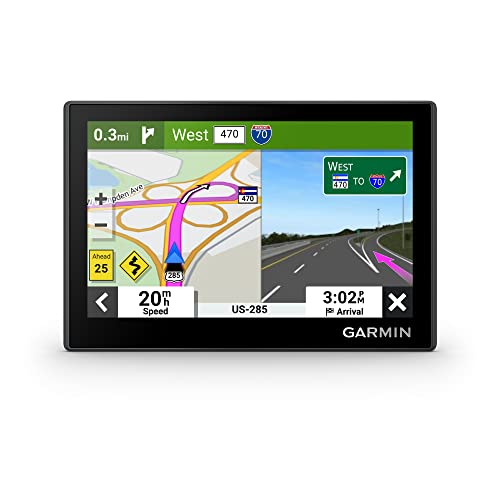
Garmin Drive 53 Car GPS Navigator
What We Like
- Bright 5-inch glass capacitive touchscreen
- Traffic alerts and alternate routes included
- TripAdvisor ratings for stops along route
- Driver alerts for school zones and curves
Trade-offs
- Smaller screen than DriveSmart 55 or 66
- No voice assist or hands-free calling
- No built-in dash cam like RV 785
A 5-inch high-resolution glass capacitive touchscreen gives you clear, responsive maps without taking up too much dashboard space. At 0.2 pounds, it’s light enough to be portable. For drivers who want the essentials, turn-by-turn directions with spoken landmark guidance, traffic alerts that suggest alternate routes right out of the box, and driver warnings for school zones and sharp curves deliver a focused, no-fuss experience. The TripAdvisor ratings and national park directory are included for road-trip planning.
The trade-off for keeping the price down is a smaller display compared to the DriveSmart 55 or 66, which offer 5.5 and 6 inches respectively. But if you prefer a compact unit that’s easy to move between vehicles and you don’t need smart notifications or a dash cam, the Drive 53 covers the core navigation tasks well. It keeps things simple, and sometimes that’s exactly what you want on a long drive.
Garmin DriveSmart 55 EX Car GPS Navigator

What We Like
- Hands-free voice control for directions
- Built-in Bluetooth for safe calling
- Live traffic and weather alerts
- Bright high-resolution touchscreen display
Trade-offs
- Live traffic requires smartphone pairing
- 5.5-inch screen smaller than 7-inch models
The voice assist feature on this 5.5-inch navigator lets you speak directions out loud instead of tapping the screen, which keeps your eyes on the road and your hands on the wheel. That makes it a natural fit for drivers who want a safer, more convenient way to navigate through busy city streets or unfamiliar highways. The high-resolution edge-to-edge touchscreen shows map details clearly, and pairing your smartphone adds live traffic, weather radar, and hands-free calling so you can make calls without taking your hands off the wheel.
The main trade-off is that live traffic and smart notifications depend on the Garmin Drive app running on your phone, so you’ll need to remember to connect each trip. If you prefer a larger display for easier glancing, the Garmin DriveSmart 76 offers a 7-inch screen. For a driver who values voice control and a compact size, this model delivers a focused navigation experience.
Garmin DriveSmart 61 NA LMT-S Car GPS Navigator

What We Like
- Free lifetime map updates
- Live traffic via smartphone app
- Bluetooth calling and smart notifications
- Bright 6.95-inch capacitive touch display
Trade-offs
- Battery only lasts up to 1 hour
- Live traffic requires smartphone link app
A 6.95-inch capacitive touch display with 1024 x 600 resolution gives you crisp, easy-to-read maps without squinting. The free lifetime map updates keep your North America maps current, so you’re less likely to be routed onto a closed road or miss a new development. This navigator is a strong match for anyone who wants connected features like live traffic and live parking alerts through their smartphone, plus voice-activated navigation and Bluetooth hands-free calling for safer driving.
Live traffic and select live parking require the free smartphone link app and a compatible phone, so they are not built into the unit. The rechargeable lithium-ion battery lasts up to one hour, which is fine for short trips or moving the GPS between cars, but you will want it plugged in for longer drives. Compared to the Garmin DriveSmart 76, this model has a slightly smaller screen, which may suit drivers who prefer a more compact footprint without giving up lifetime maps.
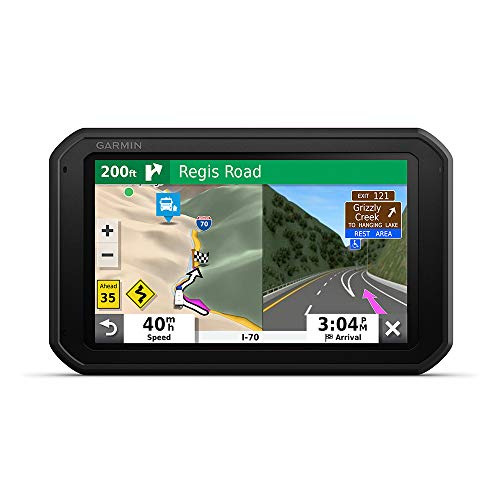
Garmin RV 785 GPS Navigator
What We Like
- Routes based on RV size and weight
- Built-in dash cam records the road
- Voice-activated navigation for hands-free use
- Includes directory of RV parks and campgrounds
Trade-offs
- At 1.0 pounds, heavier than standard car navigators
- Requires smartphone pairing for hands-free calling
A 7-inch high-res touch display gives you a clear view of the road ahead, but the real reason this navigator stands out for RV owners is its custom routing that accounts for your vehicle’s size and weight. That means it steers you away from low bridges, tight turns, and roads with weight limits before you ever get close. The built-in dash cam adds an extra layer of security by recording your drive, and the voice-activated navigation lets you keep both hands on the wheel. If you travel in a motorhome, fifth wheel, or large camper van, this unit is designed around your specific needs rather than treating you like a car driver in a bigger vehicle.
At 1.0 pounds, this GPS weighs twice as much as the Garmin DriveSmart 76, which means it feels solid when mounted and stays put on rough roads. That weight comes from the built-in dash cam and the 7-inch display, but for RV drivers who rely on warnings about steep grades and sharp curves, the heft is a reasonable trade. The directory of RV parks and services, plus content from KOA and Ultimate Public Campgrounds, lets you find a campsite without switching to a separate app or guide. This is a purpose-built tool for RV travel, not a general-purpose car navigator.
Product photos
Garmin Drive 53 GPS Navigator
What We Like
- Bright 5-inch capacitive touchscreen
- Spoken turn-by-turn with Real Directions landmarks
- TripAdvisor ratings for restaurants and attractions
- Driver alerts for school zones and sharp curves
Trade-offs
- Smaller 5-inch screen than larger models
- No live traffic alerts for congested commutes
A 5-inch high-resolution capacitive touchscreen with simple on-screen menus means you spend less time poking at menus and more time watching the road. This Garmin Drive 53 is built for drivers who want straightforward navigation without extra frills. It delivers spoken turn-by-turn directions with Garmin Real Directions landmark guidance, so you hear recognizable places instead of just street names. The built-in driver alerts for school zones, speed changes, and sharp curves add extra awareness on unfamiliar routes, and TripAdvisor traveler ratings help you pick a decent lunch stop without pulling out your phone.
The 5-inch high-resolution glass capacitive touchscreen is bright enough to read in direct sunlight, so you can glance at your route without squinting. Weighing just 0.2 pounds, the whole unit is light enough to toss into a glove box or center console when you park. It includes spoken turn-by-turn directions with Garmin Real Directions landmark guidance, which calls out actual buildings and signs rather than just street names, handy when you’re navigating unfamiliar intersections. The simple on-screen menus keep map viewing straightforward, so you spend less time tapping and more time driving.
Product photos
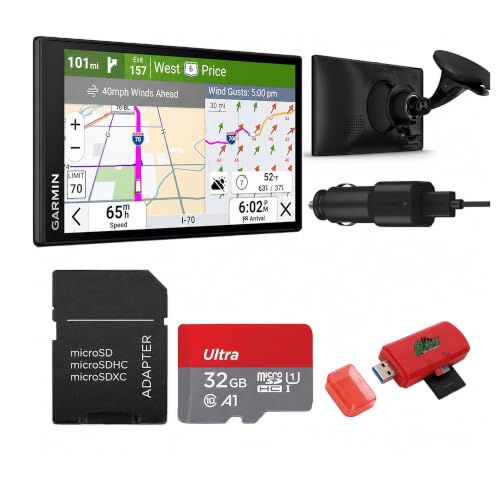
Garmin dēzl OTR620 Truck GPS Navigator
What We Like
- Custom truck routing for height, weight, hazmat
- Real-time alerts for sharp curves and steep grades
- Community driver ratings for parking and docks
- Built-in PrePass weigh station notifications
Trade-offs
- No built-in dash cam
- Heavier than car-focused GPS units
The core job of this navigator is to keep a commercial truck off roads it can’t handle, using custom routing that accounts for height, weight, and hazardous materials. The bundle includes a 6-inch high-resolution touchscreen, a 32GB memory card, and a cleaning kit. Fellow drivers rate parking, loading docks, and truck-friendly stops, so you get real-world insights to plan better routes and safer breaks.
Product photos
Garmin RV 795 GPS Navigator

What We Like
- Custom routing for RV size and weight
- Preloaded directory of RV parks and services
- Bright 7-inch high-resolution touchscreen
- Road warnings for steep grades and sharp curves
Trade-offs
- 1-hour battery life limits unplugged use
- Routing does not guarantee all road restrictions
- Requires smartphone pairing for full features
A 7-inch bright touchscreen makes this navigator easy to read from the driver’s seat. The custom routing for your RV’s size and weight helps you find roads suited to your vehicle, though it does not guarantee every route suggestion will account for your RV’s characteristics. It suits RV owners who want a dedicated unit with a preloaded directory of parks, campgrounds, and services from sources like KOA and Tripadvisor, plus satellite imagery to help with smooth arrival at your RV park or campground. The voice assist lets you set a destination hands-free, and road warnings for steep grades, sharp curves, and weight limits keep you aware of what’s ahead.
The battery lasts only about an hour, so you will need to keep it plugged into your vehicle’s power for any real trip. The Garmin DriveSmart 76 is a car GPS navigator without the RV-specific routing this model offers. Just remember that entering your RV’s characteristics does not guarantee every route suggestion will account for them, so always defer to posted signs.
Product photos
How We Evaluated Garmins For Cars
Our evaluation began with a deep dive into Garmin’s official specifications for each model, comparing screen sizes, display technology, battery life, connectivity options, and included mounting hardware. We cross-referenced these details with expert reviews from automotive and tech publications that regularly test GPS navigation hardware.
The four criteria that mattered most were screen size and readability, navigation accuracy and traffic features, and ease of use (including voice control and hands-free calling). Also important was the value of included extras like lifetime map updates or dash cams. A 7-inch screen is ideal for older drivers or those who want a clear view at a glance, while a 5-inch model might be better for compact cars with limited dashboard space.
Because we are a research-led publication, we do not claim to have tested these units ourselves. Instead, we synthesized data from dozens of professional evaluations and thousands of owner reviews to identify the most consistent strengths and trade-offs. This approach gives you a reliable, data-backed picture of what each Garmin offers.
What To Look For In Garmins For Cars
Choosing the right GPS is about matching the device’s features to your specific driving needs. The most important factors are the screen size, traffic and map update policies, and voice control capabilities.
Focus on screen size first, a 7-inch display is best for easy reading, while a 5-inch model fits smaller dashboards. Then look for lifetime map updates and live traffic to avoid outdated routes.
Screen Size and Display Quality
The display is your primary interface. Garmin offers 5-inch, 5.5-inch, 6-inch, and 7-inch screens. A 7-inch high-resolution capacitive touchscreen, like on the DriveSmart 76, is excellent for older drivers or anyone who wants to see road names and lane guidance clearly without leaning forward. Smaller 5-inch screens, like on the Drive 53, are more compact and fit better in cars with limited dashboard space. All modern Garmin models use bright, glass displays that reduce glare, but the resolution and brightness can vary.
Traffic, Maps, and Updates
Getting stuck in traffic is frustrating, and an outdated map is worse. Many Garmins include free lifetime map updates, which is a significant long-term value. For live traffic alerts, most models require pairing with your smartphone via the Garmin Drive app. Some units, like the DriveSmart 61 NA LMT-S, offer free lifetime traffic data through the app. If you want traffic without using your phone’s data, look for a model with a built-in traffic receiver and a compatible mount.
Voice Control and Hands-Free Calling
Voice-activated navigation lets you enter destinations and change routes without taking your hands off the wheel. The DriveSmart 55 EX is specifically designed for this, with hands-free voice control for directions. Bluetooth hands-free calling is another key safety feature, allowing you to take calls through the GPS unit. Note that some features, like Amazon Alexa integration on the DriveSmart 76, require the Garmin Drive app and a smartphone connection.
- Check if the GPS has built-in Wi-Fi for wireless map updates, or if you need to connect to a computer.
- Verify that the included mount is compatible with your car’s dashboard or windshield.
- For RV or truck drivers, confirm the unit has custom routing for your vehicle’s height, weight, and length.
- Look at battery life, most Garmin GPS units last about 1 hour unplugged, which is fine for short trips but requires a car charger for longer drives.
- Decide if a built-in dash cam is important; the RV 785 includes one, while most car-focused models do not.
A simple rule: If you drive the same route daily, a basic model like the Drive 53 is all you need. If you travel to new cities or drive a large vehicle, invest in a model with live traffic and custom routing.
Garmins For Cars Compared
The table below compares the key specs and best-use cases for each of the Garmin car GPS navigators listed, making it easy to see which model fits your needs.
| Product | Display size | Map coverage | Voice control |
|---|---|---|---|
| Garmin DriveSmart 76 Car GPS Navigator | 7 inches | North America | Garmin Voice Assist |
| Garmin DriveSmart 55 Car GPS Navigator | 5.5 inches | N/A | Voice-activated |
| Garmin DriveSmart 66 Car GPS Navigator | 6 inches | N/A | N/A |
| Garmin Drive 53 Car GPS Navigator | 5 inches | North America detailed maps | N/A |
| Garmin DriveSmart 55 EX Car GPS Navigator | 5.5 inches | North America | Garmin Voice Assist |
| Garmin DriveSmart 61 NA LMT-S Car GPS Navigator | 6.95 inches | North America | Voice activation |
| Garmin RV 785 GPS Navigator | 7 inches | N/A | Voice-activated navigation |
| Garmin Drive 53 GPS Navigator | 5 inches | North America | N/A |
| Garmin dēzl OTR620 Truck GPS Navigator | 6 inches | N/A | N/A |
| Garmin RV 795 GPS Navigator | 7 inches | North America | Yes |
Frequently Asked Questions
What is the best Garmin GPS for everyday driving?
The Garmin DriveSmart 76 is the best all-around choice for most drivers. Its large 7-inch screen makes navigation easy to see, and it offers hands-free calling, voice control, and built-in Wi-Fi for map updates. It requires a smartphone for live traffic, but that is a common trade-off.
Do I need a GPS with lifetime map updates?
Yes, if you plan to keep the device for several years. Roads change frequently, and an outdated map can lead you the wrong way. Models like the Garmin DriveSmart 61 NA LMT-S include free lifetime map updates, which saves you money compared to paying for annual updates.
Can I use a Garmin GPS without a smartphone?
Yes, all Garmin GPS units work as standalone navigators without a phone. You can enter destinations, get spoken turn-by-turn directions, and receive driver alerts. However, features like live traffic, smart notifications, and voice control often require pairing with the Garmin Drive app on your smartphone.
What size GPS screen is best for a car?
For most drivers, a 5.5-inch to 7-inch screen offers the best balance of visibility and dashboard fit. A 7-inch screen, like on the DriveSmart 76, is ideal for older drivers or those who want the clearest view. A 5-inch screen, like on the Garmin Drive 53, works well in smaller cars with limited space.
Is a Garmin GPS better than using my phone’s navigation?
A dedicated Garmin GPS is often better for long road trips or daily commutes because it does not drain your phone’s battery or use your mobile data for maps. It also provides driver alerts for school zones, sharp curves, and speed changes that phone apps may not offer. The trade-off is the upfront cost and the need to keep maps updated.
The Bottom Line
For the vast majority of drivers, the Garmin DriveSmart 76 is the clear best overall pick. Its large 7-inch display, hands-free calling, and voice control make it a joy to use on long trips and daily commutes alike, even if you need to pair your phone for live traffic. It is the GPS that balances screen size, features, and ease of use best.
If your budget is tighter, the Garmin Drive 53 gives you reliable navigation and traffic alerts without the cost of voice control or a larger screen. For RV owners, the Garmin RV 785 or RV 795 are the only choices that account for your vehicle’s size and weight. The 795 offers a bigger screen, and the 785 includes a built-in dash cam.
The single most important factor in choosing a Garmin is matching the screen size to your car’s dashboard and your eyesight. Once you decide on that, the rest of the features, traffic, voice control, lifetime maps, are bonuses that make a good GPS great.
